Display 21
Operating RADIO, MEDIA (audiovisual
systems)
NAME, TEL NAV, INFO CAR, SETUP
Control wheel
Operating the control wheel
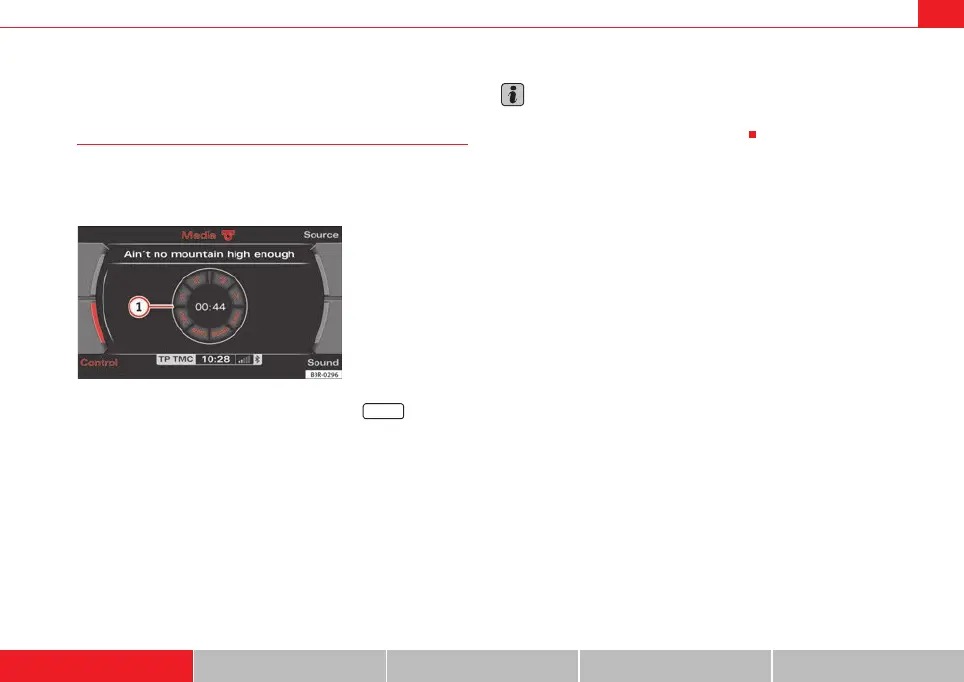
The “control wheel” shown in the display, together with the
control knob, allows for easy operating of the basic functions
of the radio, CD and MP3.
– Press the corresponding function button, e.g. ⇒ page 9.
– Press the control button with the ⇒ page 9 Source function.
–Select MP3 ⇒ page 50.
– Press the control button with the Control function.
– Rotate the control knob ⇒ page 9 to select a function on the
control wheel ⇒ fig. 23.
– Confirm your selection by pressing the control knob.
The control wheel is divided into different segments. The function of these
knobs depends on the audio device selected.
Note
The control wheel functions are described in: ⇒ page 39 (radio mode);
⇒ page 51 (CD mode); ⇒ page 54 (MP3 mode).
Fig. 23 Display: Control
wheel (example shows
MP3 mode)
MEDIA
1
A
1
media_systemE_EN.book Seite 21 Montag, 21. September 2009 1:48 13



 To Next Page