INFO (Traffic information)146
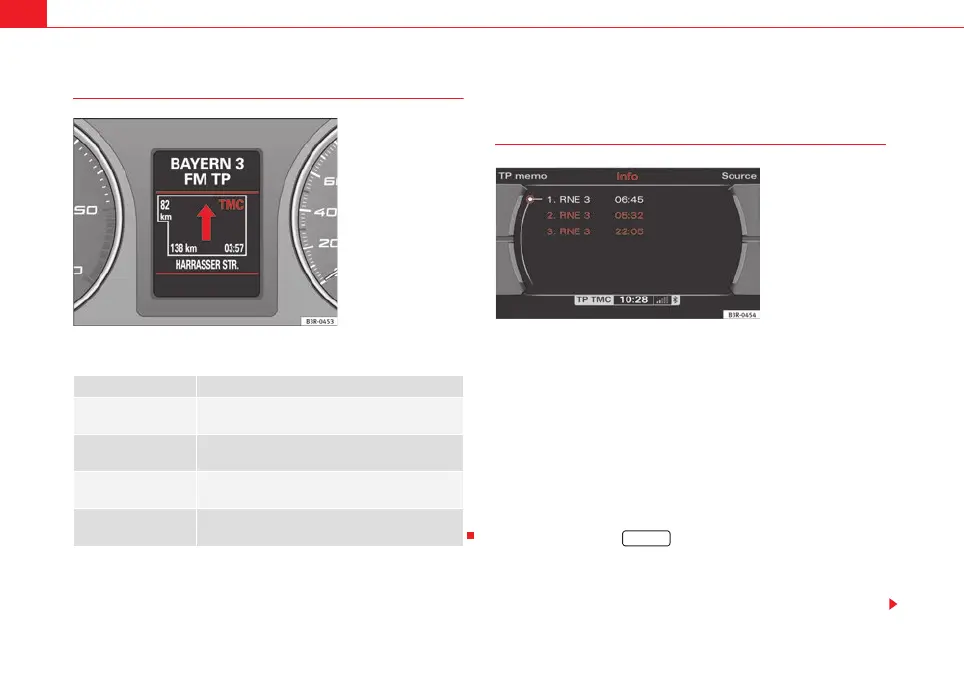
TMC symbol on the instrument panel display
TMC symbols on the instrument panel display:
Memo TP control button
Listening to stored traffic announcements
If the traffic information function (⇒ page 42) is activated, reports
will be received and stored for about two hours even after switching
off the navigation system. You can call up these reports as desired:
– In the traffic information menu, select the Memo TP function
using the corresponding control button. The most up-to-date
traffic announcement will then automatically be played.
– Select one of the available traffic announcements by rotating
and pressing the control knob ⇒ fig. 186.
– To cancel a running traffic report, press the rotary pushbutton
again or press the ⇒ page 9 button.
Stored announcements are displayed with the station name and the time of
the announcement. The most up-to-date traffic announcement is shown at
the top of the list.
Display Description
TMC symbol is green TMC stations are available; the dynamic navigation
is switched on.
TMC symbol is red
⇒ fig. 185
TMC stations are available; the dynamic navigation
is switched off.
TMC symbol crossed
out
TMC stations are not available; the dynamic navi-
gation is switched on.
TMC symbol is not dis-
played
TMC stations are not available; the dynamic navi-
gation is switched off.
Fig. 185 Instrument
panel display: Example of
the red TMC symbol
Fig. 186 Info: Stored
traffic announcements
RETURN
media_systemE_EN.book Seite 146 Montag, 21. September 2009 1:48 13



 To Next Page