Mobile phone system* 77
Operating RADIO, MEDIA (audiovisual
systems)
NAME, TEL NAV, INFO CAR, SETUP
"Memory" Menu
Introduction
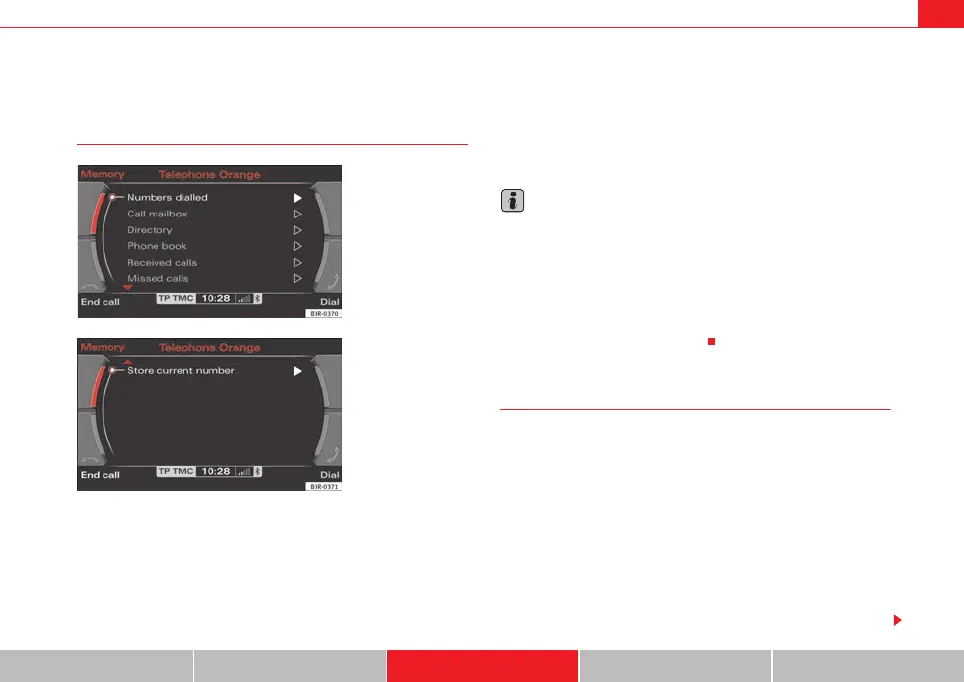
You can access phone numbers in the directory, phone book and call lists and
place calls using the Memory function. You can store entries from the call lists
in the directory.
The following functions are available:
• Numbers dialled ⇒ page 77
• Call voice mailbox ⇒ page 78
• Directory ⇒ page 78
• Phone book ⇒ page 79
• Received calls ⇒ page 80
• Missed calls ⇒ page 80
• Store current number ⇒ page 81
Note
• Some of these functions may be not be active, and will then be greyed-
out. For example, if you have not stored a phone number for your voice
mailbox under Setup Telephone ⇒ page 85, the option for Call voice mailbox
will be greyed-out and cannot be selected.
• The relevant functions will be greyed-out in the display while the phone
book entries are being loaded into the memory ⇒ page 79.
• It is possible that no entries for “Numbers dialled”, “Received calls” and
“Missed calls” are shown in the display.
Numbers dialled
–Press the Memory control button in a telephone menu.
– Select Numbers dialled ⇒ fig. 94 to display a list of the last
numbers dialled.
– Select the number required using the control knob. The number
will be included in the keyboard.
–Press the Dial control button.
The Numbers dialled list stores the last ten
7)
names or numbers you have
dialled. This is independent to whether the call to that specific number was
established or not.
Fig. 94 Telephone:
Memory
Fig. 95 Telephone: Store
current number
media_systemE_EN.book Seite 77 Montag, 21. September 2009 1:48 13



 To Next Page