Mobile phone system*78
Depending on your mobile phone, the number last dialled is displayed at the
top or bottom of the list.
You can access the Numbers dialled list from the telephone main menu by
pressing the control button for Dial when the keyboard entry space is
empty.
Voice mailbox
– Press the Memory control button in a telephone menu.
– Select Call voice mailbox ⇒ page 77, fig. 94. The voice mailbox
number you have stored will be dialled.
– Press the Dial control button. The call will then be started.
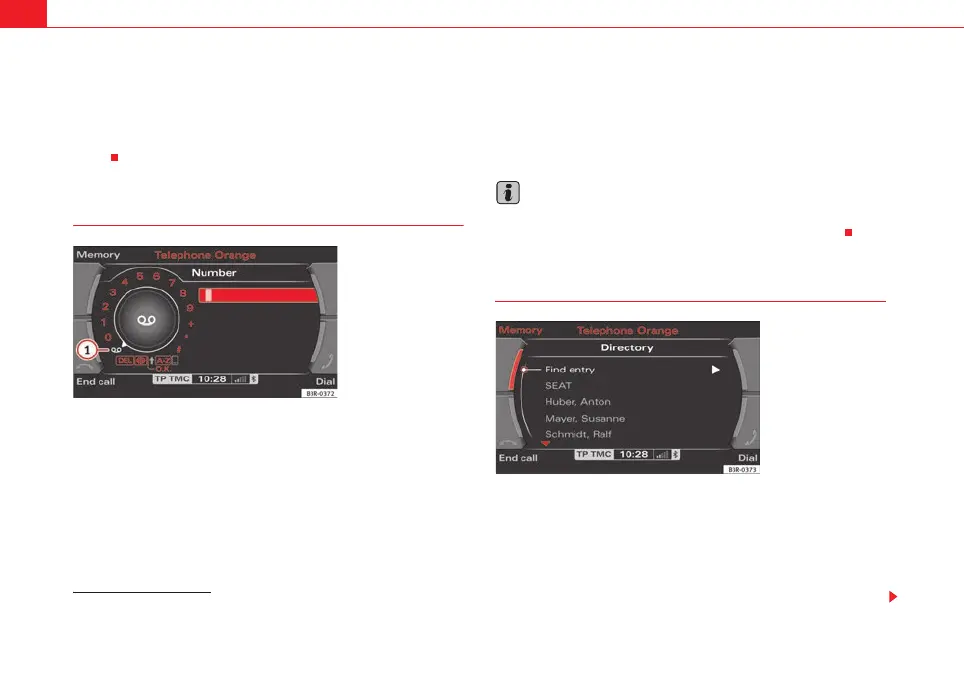
You can also call your mailbox by selecting the mailbox symbol ⇒ fig. 96
in the keypad for numbers.
If you select the mailbox symbol ⇒ fig. 96 in the keyboard for numbers
before you have stored a number for your mailbox, the system will automati-
cally direct you to the number entry screen ⇒ page 85.
You can also store, edit or delete your voice mailbox number in the Telephone
Setup menu ⇒ page 85.
Note
This function must be selected and set up beforehand through your mobile
phone network. For more information, contact your service provider.
Directory
–Press the Memory control button in a telephone menu.
– By rotating and pressing the control knob, select Directory
⇒ page 77, fig. 94.
– Select Find entry. The keyboard will be displayed. Enter the data
or
7)
The total number of previously dialled numbers that can be stored may vary depend-
ing on your type of mobile phone.
Fig. 96 Telephone: Voice
mailbox symbol
A
1
1
Fig. 97 Telephone: Direc-
tory
media_systemE_EN.book Seite 78 Montag, 21. September 2009 1:48 13



 To Next Page