Mobile phone system* 95
Operating RADIO, MEDIA (audiovisual
systems)
NAME, TEL NAV, INFO CAR, SETUP
Speech recognition for some countries
Storing name tags in the phone book*
If your vehicle is equipped accordingly, you can assign name
tags to the entries from the SIM card or the mobile phone
directory.
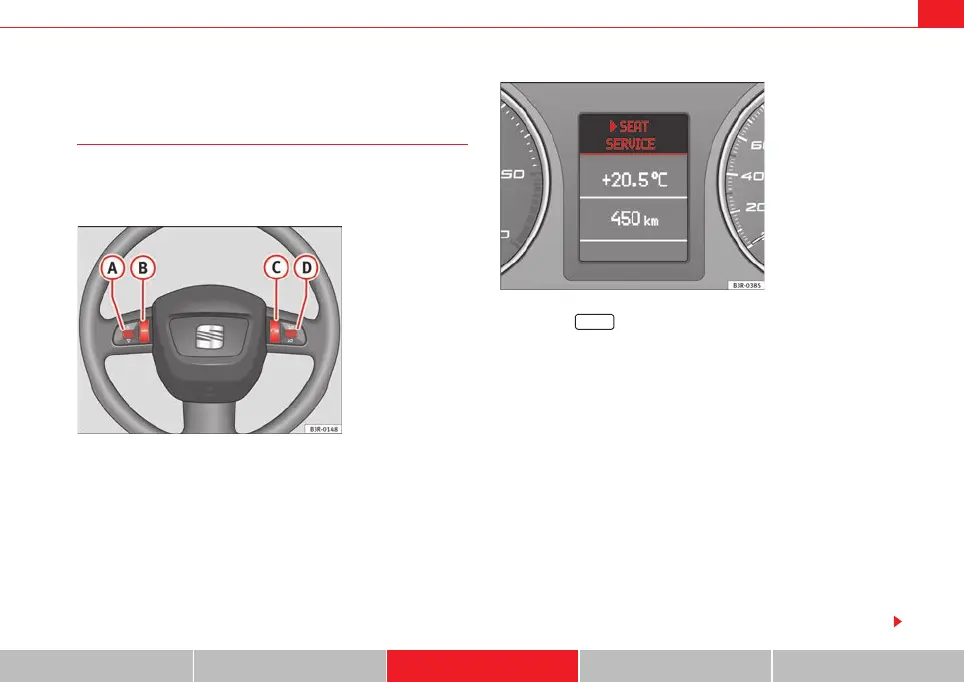
– Press the button on the multi-function steering wheel
⇒ fig. 112 to switch to the telephone function. A phone book
entry from the on-board phone memory will appear in the instru-
ment panel display.
– Scroll the left thumbwheel until the desired phone book entry is
shown in the instrument panel display.
– Press the talk button on the multi-function steering wheel.
You will then hear a beep.
– Say the name ("tag") you wish to save for this phone book entry.
You will then hear two beeps.
– Repeat the name. The system will repeat the recorded name and
an ascending sequence of tones will confirm that the entry has
been accepted.
If the entry was not accepted the system will emit a descending sequence of
tones to request that you enter the name again.
Fig. 112 The multi-func-
tion steering wheel
Fig. 113 Instrument
panel display: Phone
book entry in on-board
phone memory with name
tag assigned
MODE
A
B
C
media_systemE_EN.book Seite 95 Montag, 21. September 2009 1:48 13



 To Next Page