Mobile phone system*74
Main telephone menu
Making calls
Telephone numbers can be entered using the keypad on the
display.
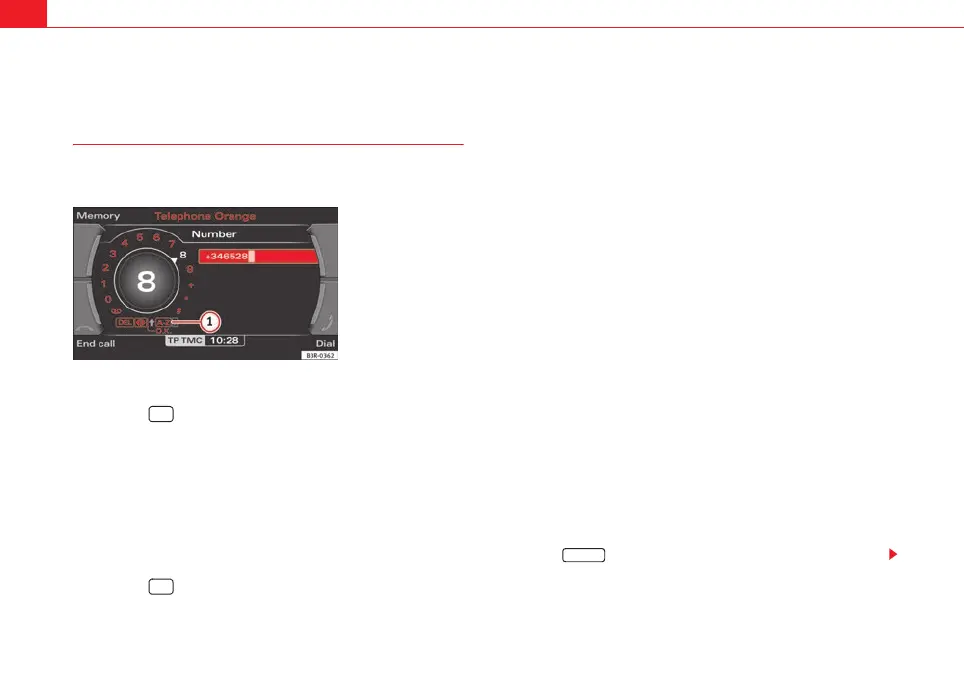
Enter and dial a telephone number
– Press the function button.
– By rotating and pressing the control knob, dial the phone
number required, without forgetting any area codes ⇒ fig. 89.
– To start dialling the number, select OK in the alphanumeric
keyboard, or
– Press the control button for Dial ⇒ fig. 89.
Entering the telephone number using a sequence of letters
– Press the function button.
– By rotating and pressing the control knob, enter an area code
using the alphanumeric keyboard, e.g. 0800.
– Select 0-9 ⇒ fig. 89 in the alphanumeric keyboard for
numbers. The keyboard for letters will appear ⇒ page 18,
fig. 20.
– By rotating and pressing the control knob, enter a suitable string
of letters using the alphanumeric keyboard, e.g. SEAT.
– To start dialling the SEAT number, select OK in the alphanumeric
keyboard or
–Press the Dial control button.
Finding and dialling stored telephone numbers
–Press the Memory control button.
– Select Numbers dialled, Directory, Phone book, Missed calls or
Received calls. The numbers will be listed.
– Using the rotary pushbutton, select the number you wish to
store. The number will be included in the keyboard.
– To start dialling the number, select OK in the alphanumeric
keyboard, or
–Press the Dial control button.
You can delete the number in the alphanumeric keyboard entry field by
pressing the button.
Fig. 89 Telephone: Enter
a number
TEL
TEL
A
1
RETURN
media_systemE_EN.book Seite 74 Montag, 21. September 2009 1:48 13



 To Next Page