SETUP154
The following submenus are available in the Setup function:
Note
Additional menu options can be called up for each main function. These are
listed in the Setup main menu. You can, for example, set the traffic
programmes in the RADIO SETUP function ⇒ page 42.
Settings control button
Setting the menu language
Display texts can be shown in different languages.
–Press the Settings control button in the Setup menu.
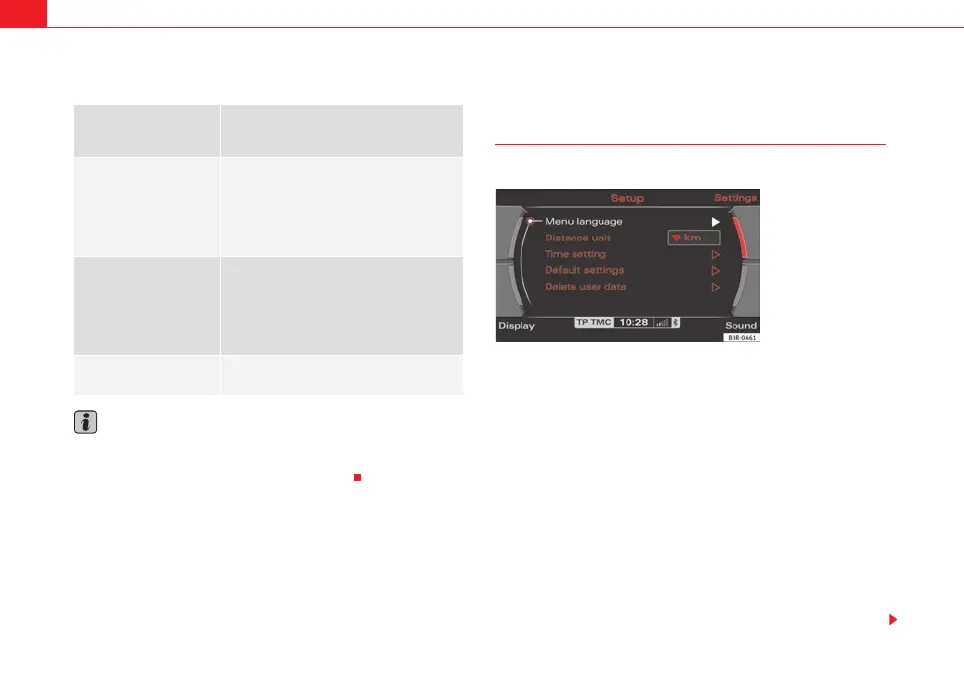
– Select Menu language ⇒ fig. 194.
– Select the desired menu language.
The display texts for the navigation system and the instrument panel display
will appear in the language you have selected. The language for the audible
navigation commands are also changed.
The following languages can be selected:
• German
• English
• French
• Italian
• Dutch
Control button
functions
⇒ page 153, fig. 193
Setup submenus
Settings
Menu language
Distance unit
Time setting
Default settings
Speech command system
Delete user data
Sound
⇒ page 59
Balance
Fader
Treble
Bass
DSP
Volume settings
Display
Switch off display
Brightness
1
A
2
A
3
Fig. 194 Setup: Menu
language settings
media_systemE_EN.book Seite 154 Montag, 21. September 2009 1:48 13



 To Next Page