SETUP 155
Operating RADIO, MEDIA (audiovisual
systems)
NAME, TEL NAV, INFO CAR, SETUP
• Spanish
• Portuguese
Note
• You can only select the menu language when the vehicle is stationary. The
option is greyed out when driving and cannot be selected.
Setting the distance unit (km/miles)
– Press the Settings control button in the Setup menu.
–Select Distance unit.
– Select either km or miles.
Setting the time
Time of date and date can be adjusted through this function.
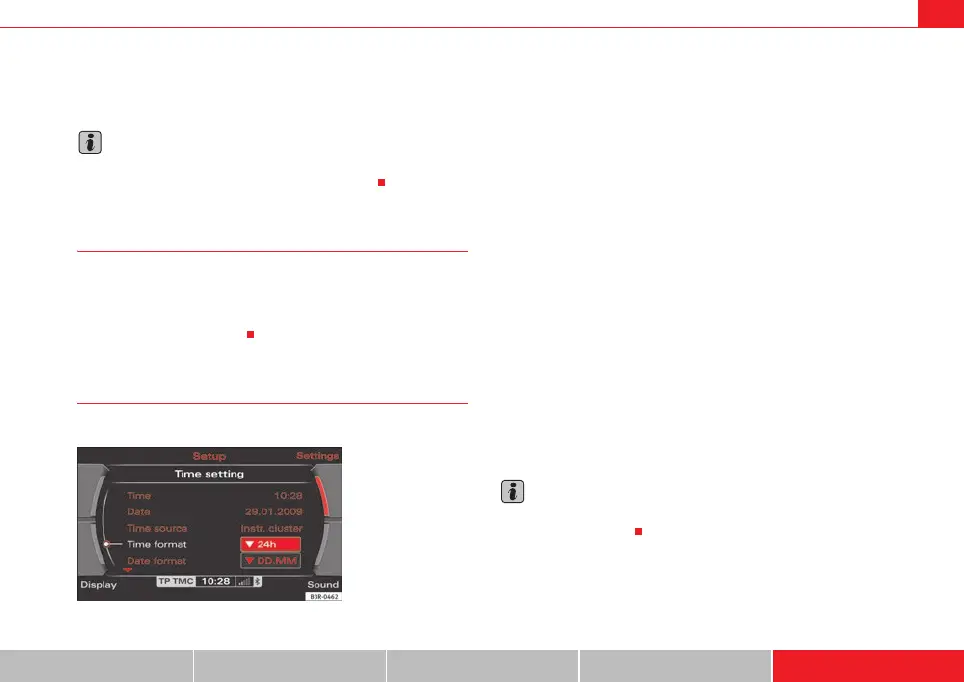
Setting the time format
–Press the Settings control button in the Setup menu.
– Select Time settings ⇒ page 154, fig. 194.
– Select Time format ⇒ fig. 195.
– Select 24h or 12h.
Setting the date format
–Press the Settings control button in the Setup menu.
– Select Time setting ⇒ page 154, fig. 194.
– Select Date format ⇒ fig. 195.
– Select the option DD.MM for the “day/month” format or MM/DD
for the “month/day” format.
The instrument panel acts as the source for the time and date display.
Should the instrument panel not be be available as a source for the settings,
the time and date can be received via GPS. In this case the menu option Time
source will show GPS. The GPS time can be adjusted via the menu option GMT
+/-.
Note
If the instrument panel source is not available, please contact a dealer or
other qualified workshop.
Fig. 195 Setup: Setting
the time format (24h)
media_systemE_EN.book Seite 155 Montag, 21. September 2009 1:48 13



 To Next Page