MEDIA50
The MP3 menu has the following options: The following submenus are available in the MP3 Setup function:
Source control button
Selecting an audio source
– Press the function button.
– Press the control button with the Source function.
– Select the corresponding source.
Depending on vehicle equipment, the following options are available:
MP3 functions
⇒ page 49, fig. 54
MP3 setup submenus
Source
a)
a)
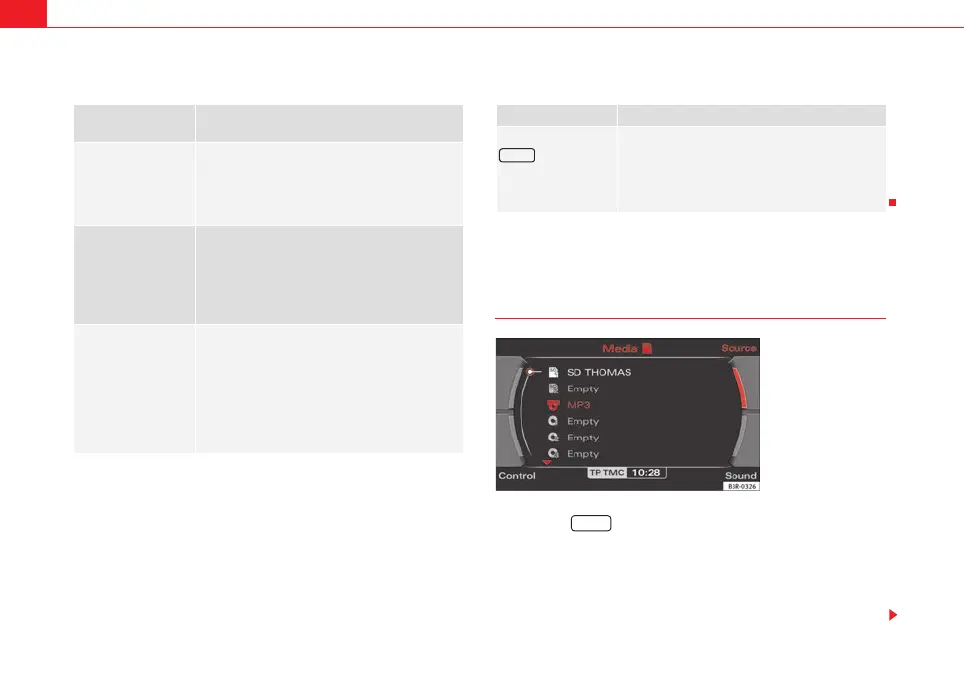
When inserting a source, the display will show the name of the data media used (e.g.,
if the memory card has been named “SD Thomas”, the display will show this name).
Memory card 1
Memory card 2
MP3 CD
iPod / USB*
AUX*
Sound ⇒ page 59
Balance
Fader
Treble
Bass
DSP
Volume settings
Control
Forward
Reverse
Next track
Back
Random
Scan
Info (name)
Repeat options
1
A
2
A
3
MP3 setup submenus
Press the
function button in the
MP3 function
⇒ page 57
track info
List info
SETUP
Fig. 55 MEDIA: List of
available audio sources
Media
media_systemE_EN.book Seite 50 Montag, 21. September 2009 1:48 13



 To Next Page