RADIO 41
Operating RADIO, MEDIA (audiovisual
systems)
NAME, TEL NAV, INFO CAR, SETUP
Station scan
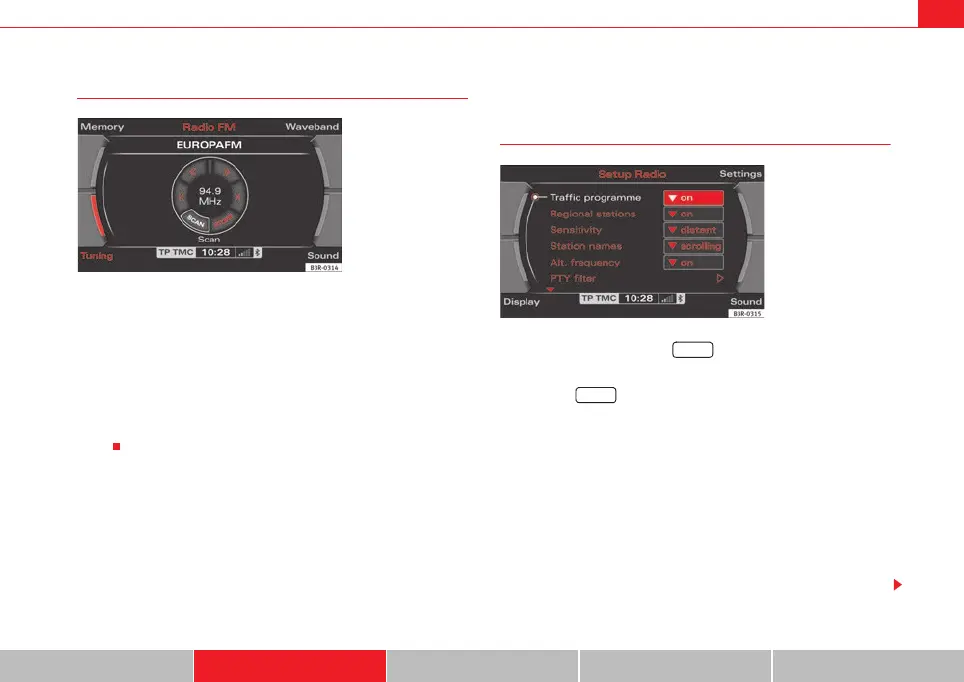
– Press the Tuning control button in the radio menu.
– By rotating the control knob, select SCAN (“station scan”)
⇒ fig. 43.
– Press the control knob to begin SCAN. The receivable stations are
played for a few seconds.
To select the station that is currently being played, press the control knob
again.
Radio setups
Opening and closing the radio setup menu
– In a Radio mode, press the button to open the main setup
menu for the radio function ⇒ fig. 44.
– Press the button again to close the main setup menu.
The following settings are possible in radio setup:
• Traffic programme ⇒ page 42
• Regional stations ⇒ page 43
• Station reception ⇒ page 44
• Station display ⇒ page 44
• Alternative frequency ⇒ page 45
• Programme types: PTY filter ⇒ page 45
• Delete last stations ⇒ page 46
• Delete stored stations ⇒ page 47
Fig. 43 Radio: SCAN func-
tion
Fig. 44 Main radio setup
menu
SETUP
SETUP
media_systemE_EN.book Seite 41 Montag, 21. September 2009 1:48 13



 To Next Page