RADIO46
Switching off all filter functions
– Starting from any one of the radio menus, press the
⇒ page 9 button.
– First select the All filters option and press the control knob so
that the tick box appears after it
. The tick box will also
appear after all the options.
– Then press the control knob again and the tick boxes
will
disappear from all the options.
All filters with a tick box after then are enabled. All remaining filters are
disabled.
A total of more than 20 filters can be enabled. The selection made will limit
the number of stations. This will be seen in the station list. For example: if you
select the "Classical" option, the station list will show those stations broad-
casting classical music.
Note
If you want all receivable stations to be displayed, regardless of whether they
support the PTY filter option, you must turn off all filter options.
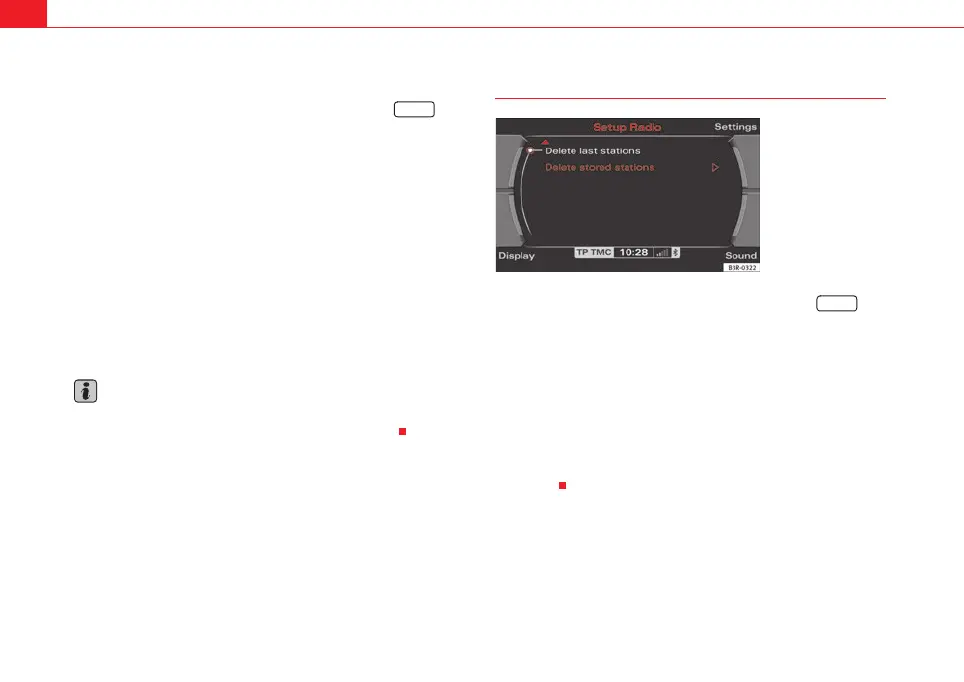
Deleting the last stations
– Starting from any one of the radio menus, press the
⇒ page 9 button.
– Select Delete last stations ⇒ fig. 51.
This function can be used to free up the first six positions for FM radio stations
(so-called “favourite stations”) in the station list ⇒ page 37. In other words,
the last six radio stations you listened to the most will no longer appear in the
first six positions in the list. They will be placed further down the list.
Thereafter, any stations that you listen to for more than 45 seconds will be
stored automatically in one of the first six positions in the station list
⇒ page 37.
SETUP
Fig. 51 Radio settings
(RADIO SETUP): Delete
station list
SETUP
media_systemE_EN.book Seite 46 Montag, 21. September 2009 1:48 13



 To Next Page