Handling: General information 9
Operating RADIO, MEDIA (audiovisual
systems)
NAME, TEL NAV, INFO CAR, SETUP
Main control
To select a menu option in the display, turn the rotary pushbutton in the
required direction and then press it.
Control buttons
To activate a function indicated in one of the four corners of the display, press
the corresponding control button for that corner of the display. For instance,
the top right control button corresponds with the top right corner of the
display ⇒ page 8, fig. 6.
RETURN button
Press the button to cancel an entry that has not yet been confirmed
or to return to the previous menu level. You can also use this button when you
have activated the side menu for the navigation map depiction.
Function selector buttons
Press one of the function selector buttons to activate the function shown on
the button. For example, the Radio function is started by pressing the
function button.
The button only works when you have pressed one of the other func-
tion buttons. You can use it to make new settings for the function that you
have selected.
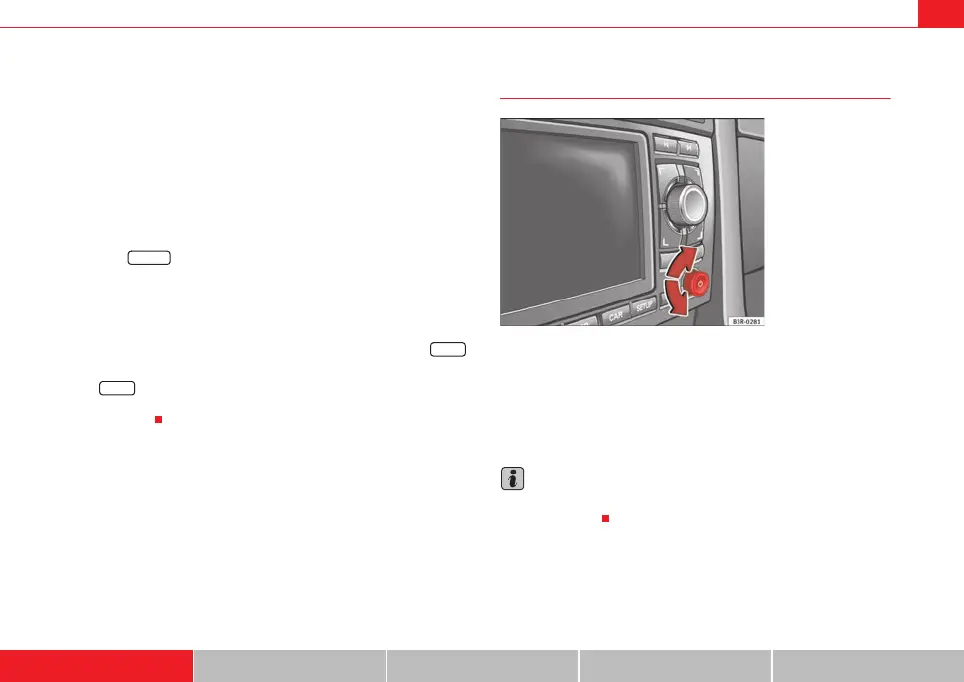
Adjusting volume
Volume can be adjusted by turning the ON/OFF knob ⇒ fig. 7. The volume
setting will be stored automatically.
If the volume set is very high, when switching on the system it will be auto-
matically reduced to a maximum level preset at the factory. If the volume is
too low when the radio is turned on, it will be increased automatically to a
level set by the factory.
Note
Volume can also be adjusted using the buttons on the multi-function steering
wheel* ⇒ page 12.
2
3
A
4
RETURN
A
5
RADIO
SETUP
Fig. 7 Navigation system:
ON/OFF knob (adjusting
volume)
media_systemE_EN.book Seite 9 Montag, 21. September 2009 1:48 13



 To Next Page