RADIO 45
Operating RADIO, MEDIA (audiovisual
systems)
NAME, TEL NAV, INFO CAR, SETUP
If you have set the station display to moving ⇒ page 44, fig. 49, the ticker
text will be shown when you tune into a station broadcasting this type of
information.
Alternative frequencies
– Starting from any one of the radio menus, press the
⇒ page 9 button.
– Switch on the Alt. frequency function (on) ⇒ page 41, fig. 44 to
automatically change frequency within the same station.
Because of the limited range of FM (VHF) signals, a radio station may broad-
cast from several transmitters on different frequencies. If the Alt. frequency
function is switched on (on), the radio-navigation system searches for the
strongest frequency signal and tunes into it.
The radio switches from one frequency to another inaudibly. The programme
name appearing on the display is not changed. The control wheel ⇒ page 39
displays the corresponding frequency.
Note
To ensure optimum reception, the alternative frequency function will auto-
matically be set to on when you switch on the navigation system or switch to
another station.
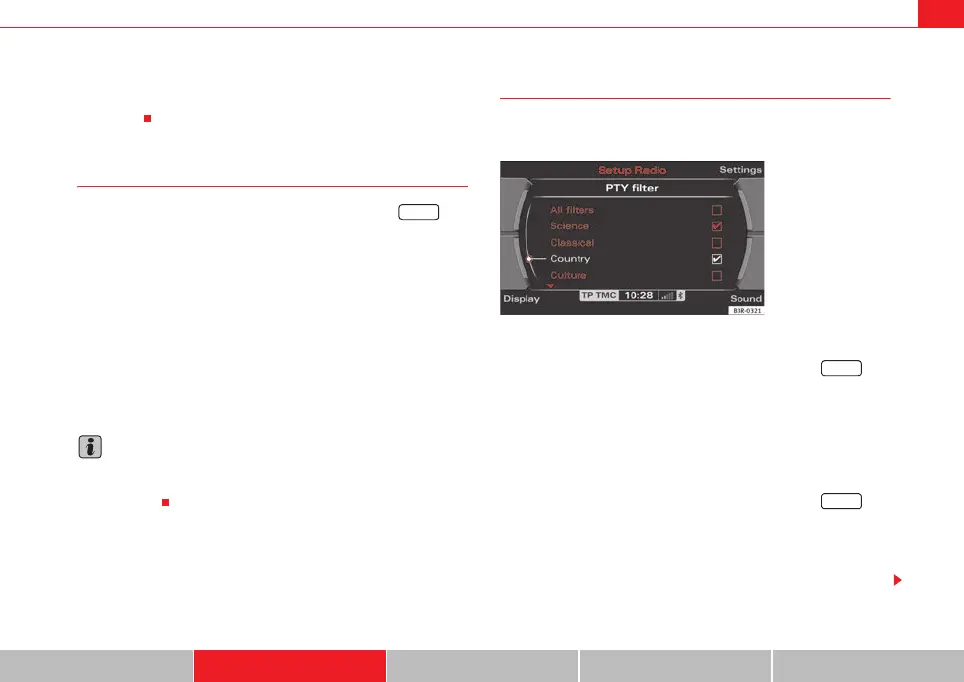
Selecting programme type: PTY filter
Use the programme filter to sort the station list according to
your preferences.
Switching on the filter function
– Starting from any one of the radio menus, press the
⇒ page 9 button.
–In the PTY Filter function, mark the option desired and confirm by
pressing the control knob. A tick
will appear in the box for the
desired filter option ⇒ fig. 50.
Switching off the filter function
– Starting from any one of the radio menus, press the
⇒ page 9 button.
–In the PTY Filter function, mark the option to be disabled and
confirm by pressing the control knob. The tick
for the cancelled
option will then disappear ⇒ fig. 50.
SETUP
Fig. 50 Radio settings:
Details of the PTY filter
functions
SETUP
SETUP
media_systemE_EN.book Seite 45 Montag, 21. September 2009 1:48 13



 To Next Page