Mobile phone system* 75
Operating RADIO, MEDIA (audiovisual
systems)
NAME, TEL NAV, INFO CAR, SETUP
Note
• DTMF tones can be entered directly using the alphanumeric keyboard or
loaded from the telephone numbers stored in the memory lists ⇒ page 77.
• The audio source is muted automatically when you make or receive tele-
phone calls. The Mute symbol ⇒ page 10, fig. 9 will then appear in the
status line.
• You can still make calls using the mobile phone. Please refer to the
instructions for your mobile phone for more information.
² ⇒ page 86 provides information relating to the telephone speech control
system*.
• If you make calls using the mobile phone, the telephone number may not
appear on the display.
• Navigation messages are given during a telephone call if the navigation
system has been set to do so ⇒ page 134.
Answering/Rejecting calls
Answering a call
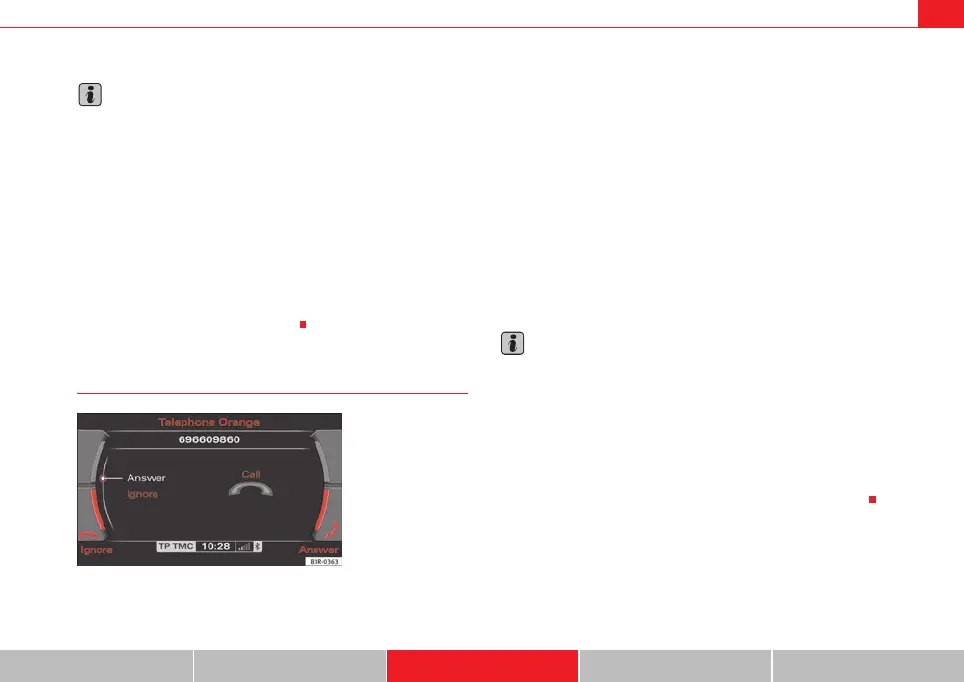
–Select Answer ⇒ fig. 90 using the control knob or
–Press the Answer control button to answer an incoming call.
Rejecting a call
– Select Reject using the control knob or
–Press the Reject control button. The incoming call will then be
rejected.
The name, telephone number or Unknown is shown in the display. This
depends on whether the caller is stored in the phone book and whether the
number is transmitted with the call ⇒ fig. 90.
If the mobile phone is inserted in the adapter while receiving an incoming call
or talking on the phone, all of the information may not appear immediately on
the display. In this case, the hands free system is not available.
Note
• The audio source is muted automatically when you make or receive tele-
phone calls. The Mute symbol ⇒ page 10, fig. 9 will then appear in the
status line.
• The display of a name or phone number on the display depends on the
compatibility of the mobile phone with the mobile phone adapter. It is there-
fore possible that no names or phone numbers appear on the display.
• Telephone numbers and names stored on the SIM card and in the phone
book of the mobile phone are listed in the display only after the system has
completely uploaded all entries (mobile phone must be in the adapter).
1
Fig. 90 Telephone:
Answering an incoming
call
A
1
media_systemE_EN.book Seite 75 Montag, 21. September 2009 1:48 13



 To Next Page