Mobile phone system*76
Ending a call
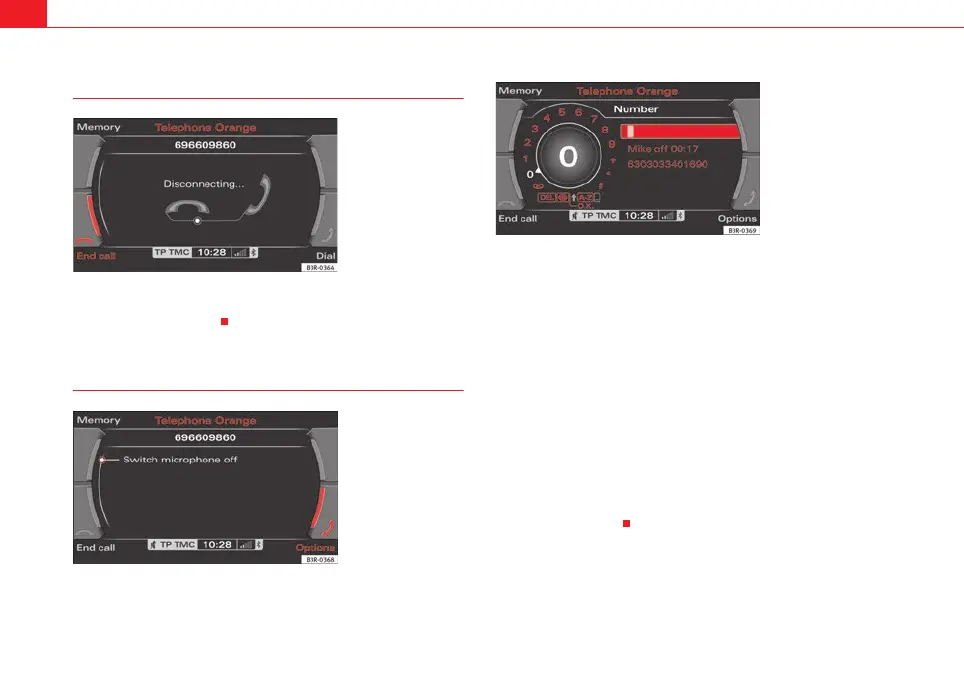
– To end a call or stop dialling a number, press the control button
for End call ⇒ fig. 91.
Switching the microphone on and off
Switching the microphone off
–Press the Options control button any time during a call.
– Select Micro off ⇒ fig. 92. The microphone is switched off and
the caller cannot hear you.
Switching the microphone on
–Press the Options control button any time during a call.
– Select Micro on. The microphone is switched back on and the call
can be continued.
When the microphone is switched off, you will see the message Mute and the
total duration of the call on the display ⇒ fig. 93.
The speaker cannot hear you while the sound is off (Mute). Even so, you will
be able to hear him/her.
Fig. 91 Telephone:
Ending a call
Fig. 92 Telephone:
Switching microphone
on/off
Fig. 93 Telephone: Micro-
phone off
media_systemE_EN.book Seite 76 Montag, 21. September 2009 1:48 13



 To Next Page