Mobile phone system* 81
Operating RADIO, MEDIA (audiovisual
systems)
NAME, TEL NAV, INFO CAR, SETUP
Storing a telephone number in the directory
– Enter a phone number or
– Select a number from the list of Numbers dialled, Received calls,
Missed calls or from the Phone book.
– Press the Memory control button.
–Select Store current number.
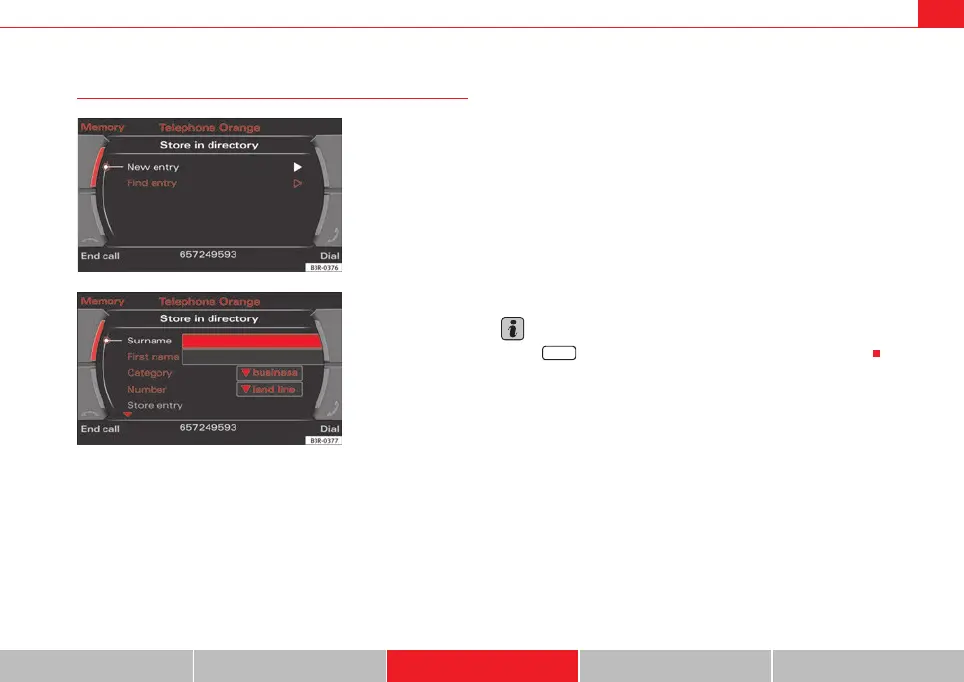
– Select New entry ⇒ page 64 to enter information for a new
contact, or
– Select Find entry ⇒ page 65, or
– Select a name from the list ⇒ page 65.
– Complete the entry data ⇒ fig. 100.
– Select Store entry. The entry will then be stored in the directory.
A Surname is required to store an entry.
Select the Edit directory function to switch to the "Name" function and edit
the complete directory card for this entry.
Note
Use the button to access and edit your directory data ⇒ page 63.
Fig. 99 Telephone: Store
in directory
Fig. 100 Telephone:
Store in directory
NAME
media_systemE_EN.book Seite 81 Montag, 21. September 2009 1:48 13



 To Next Page