Mobile phone system*82
Telephone on the instrument panel display
Selecting a phone number
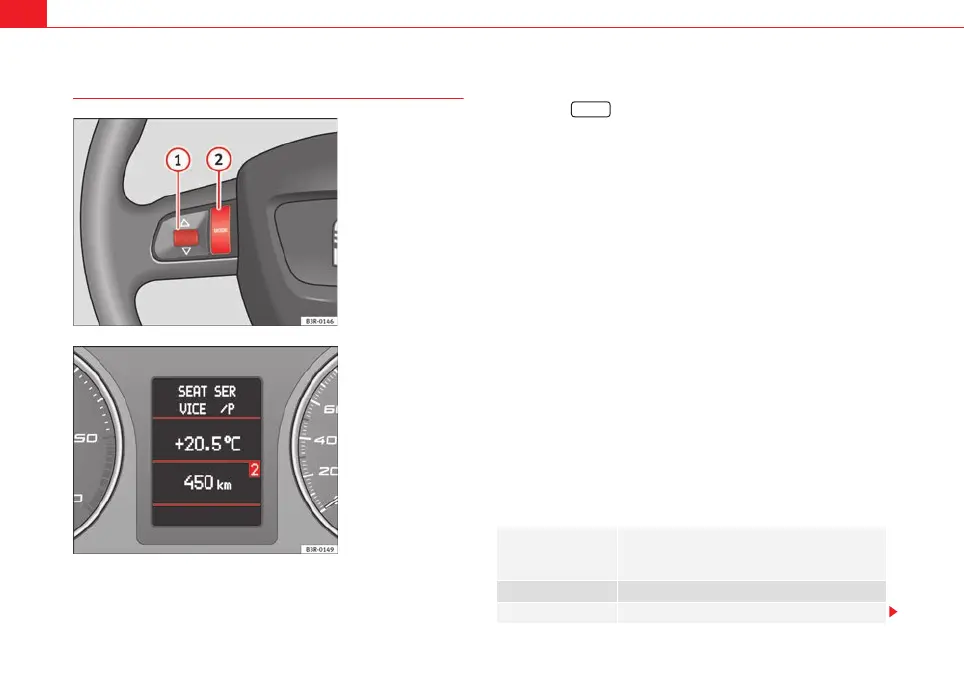
– Press the button ⇒ fig. 101 as many times as
required until a phone book entry appears on the instrument
panel display ⇒ fig. 102.
Making a call
– Use the left thumbwheel ⇒ fig. 101 to scroll up and down
through the phone book.
– Press the left thumbwheel. The number is dialled and the audio
system is muted automatically.
Answering or ending calls
–Press the left thumbwheel.
Rejecting a call
– Keep the left thumbwheel held down.
Replacing a call
– If a second call is received (call waiting), briefly press the left
thumbwheel. The current call will be ended and you will be
connected with the second caller.
The following telephone status messages can appear in the instrument panel
display:
Fig. 101 Multifunction
steering wheel: Controls
on the left
Fig. 102 Display on the
instrument panel: Phone
book entry with category
Please wait... The phone book entries on your SIM card and in the
mobile phone directory are loaded into the on-
board phone memory.
SIM CARD There is no SIM card in the mobile phone.
PIN CODE The PIN code has not yet been entered.
MODE
A
2
A
1
media_systemE_EN.book Seite 82 Montag, 21. September 2009 1:48 13



 To Next Page