NAME (Directory)64
Navigation destinations* that you set in the directory as a top destination
⇒ page 115 are displayed in the main navigation menu under the “Start
route guidance” function.
Using the (directory) button, you can call up all entries with and
without a stored navigation destination*. Through the Load from directory*
function, ⇒ page 118 you can call up all entries with stored navigation
destination.
Creating a new entry in the directory
–Press the ⇒ page 9 function button.
– Select New entry ⇒ page 63, fig. 78.
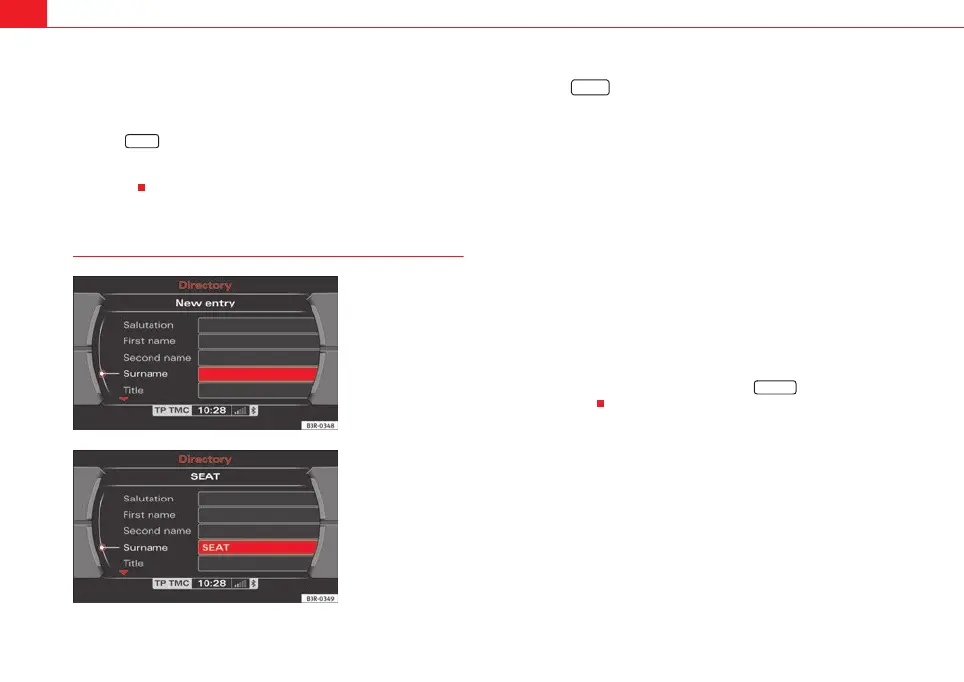
– Select Surname ⇒ fig. 79 and enter a name using the alphanu-
meric keyboard.
– Select OK in the alphanumeric keyboard to confirm the entry.
– Select additional data fields and enter the desired data
⇒ fig. 80.
A name must first be entered. All other fields are “greyed out” and cannot be
selected ⇒ fig. 79. Once you have entered a name, you can enter the
remaining data
Selecting a text field automatically activates an alphanumeric keyboard that
allows letters and numbers to be entered.
The entries in the directory are stored automatically.
When you have created a directory card, press the button to create
the next next entry.
NAME
Fig. 79 Directory:
Entering a name for a new
entry
Fig. 80 Directory: Name
entered, remaining data
fields can be completed
NAME
RETURN
media_systemE_EN.book Seite 64 Montag, 21. September 2009 1:48 13



 To Next Page