Navigation (NAV)*118
You must first enter a Surname for a new directory entry. Once you have
entered a surname the remaining entry fields can be selected.
If you would like to assign a new address to an existing directory entry, first
enter the new address into the navigation menu. Then select Store in
directory; select the directory entry to which you want to assign the new
address and store the entry again. The destination currently entered will be
stored in the directory. If there was already a destination assigned to this
directory entry it will be overwritten.
Addresses that have been marked as top destinations will be listed in the
destination entry menu and can be selected directly from there ⇒ page 115.
Note
• Route plans (routes with stopovers) can be stored using the function
Store route ⇒ page 118.
• Use the button to access and edit your directory data
⇒ page 63.
Loading a destination from the directory
–Press the Memory control button in the navigation menu.
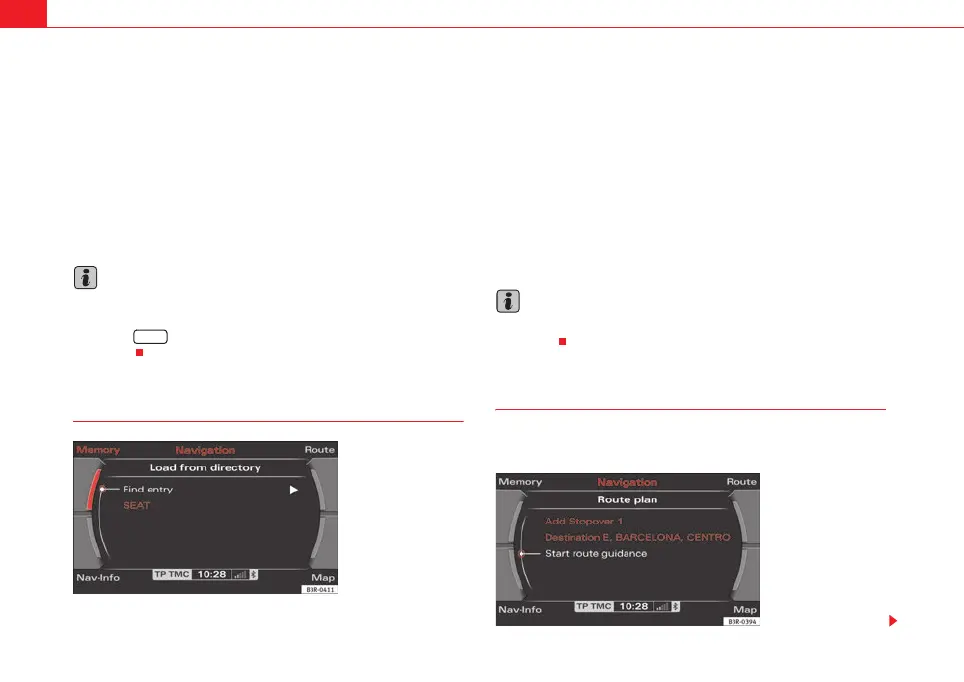
– Select Load from directory ⇒ page 116, fig. 137.
– Select a destination from the list or
– Select Find entry ⇒ fig. 140.
– Enter the name using the alphanumeric keyboard.
– Select Start route guidance ⇒ page 115.
You can edit an existing address. The current address will then be replaced.
Note
Administration of the directory data is handled through the NAME function
⇒ page 63.
Storing a route
Calculated routes with specific criteria can be stored and
loaded later as a new navigation destination
NAME
Fig. 140 Navigation:
Load an entry from direc-
tory
Fig. 141 Navigation
system: Route planned
media_systemE_EN.book Seite 118 Montag, 21. September 2009 1:48 13



 To Next Page