Display20
Making entries with the alphanumeric keyboard
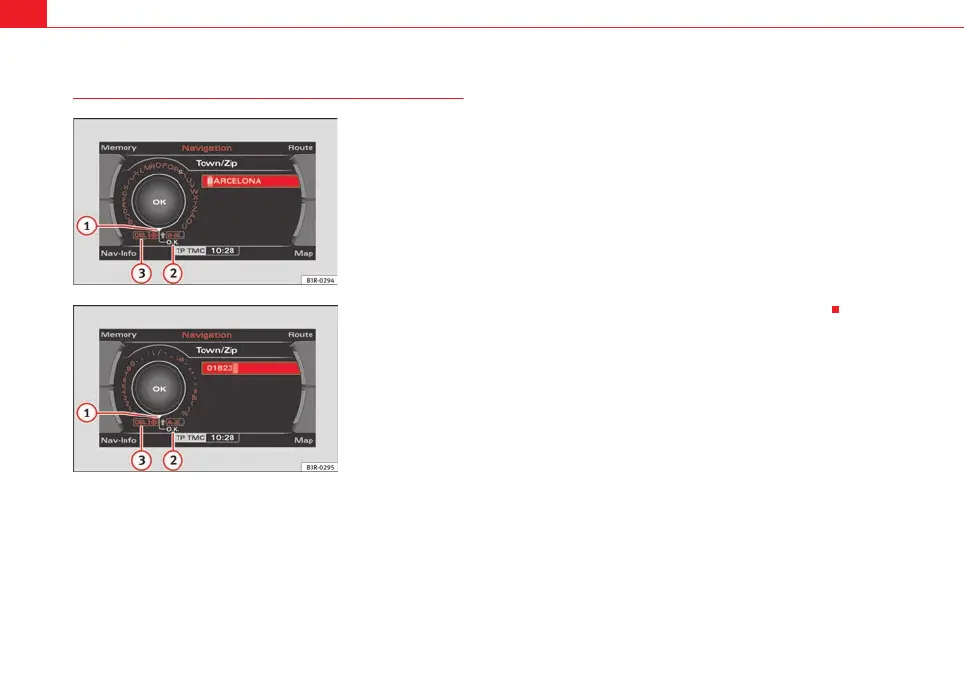
Entering letters, digits and characters
– Select the desired letters, numbers or characters in the keyboard
display using the selector arrow by rotating the control knob
⇒ fig. 21 and ⇒ fig. 22.
– To confirm the entry, press the control knob after each selection
of a letter, number of character.
– Select OK to close out the entry ⇒ fig. 21 and ⇒ fig. 22.
Deleting characters
– With the selection arrow, select Del by rotating the control
knob ⇒ fig. 21 and ⇒ fig. 22.
– Press the control knob. The last character entered in the entry
field will be deleted.
In some cases (such as in the navigation system*) the selection of letters is
limited by logical exclusion.
If you have entered part of a city in the alphanumeric keyboard display and
you have already recognised the desired city in the display list, you can shift
directly to the city list by keeping the control knob pressed down.
Fig. 21 Display: Letter
keyboard
Fig. 22 Display: Number
keyboard
A
1
A
2
A
3
media_systemE_EN.book Seite 20 Montag, 21. September 2009 1:48 13



 To Next Page