Navigation (NAV)* 135
Operating RADIO, MEDIA (audiovisual
systems)
NAME, TEL NAV, INFO CAR, SETUP
–Select Map contents ⇒ page 131, fig. 160.
– Use the rotary pushbutton to remove the tick
if you do not want
to have the information shown on the map.
Deactivating all map contents
– Press the ⇒ page 9 function button in the navigation
menu.
–Select Map contents ⇒ page 131, fig. 160.
– First select the All filters option and press the control knob so
that the tick box appears after it
. The tick box will also
appear after all the options.
– Then press the control knob again and the check marks
after
all the options will disappear.
In addition to the information displayed automatically, the map can also
display other information.
You can select the map contents to be displayed as desired. The map
contents are displayed in accordance with the selected map scale.
Delete last destinations
– Press the ⇒ page 9 function button in the navigation
menu.
–Select Delete last destinations ⇒ page 131, fig. 160.
–Confirm Are you sure you want to delete the route? with Yes. The
entire list of last destinations is deleted ⇒ page 116.
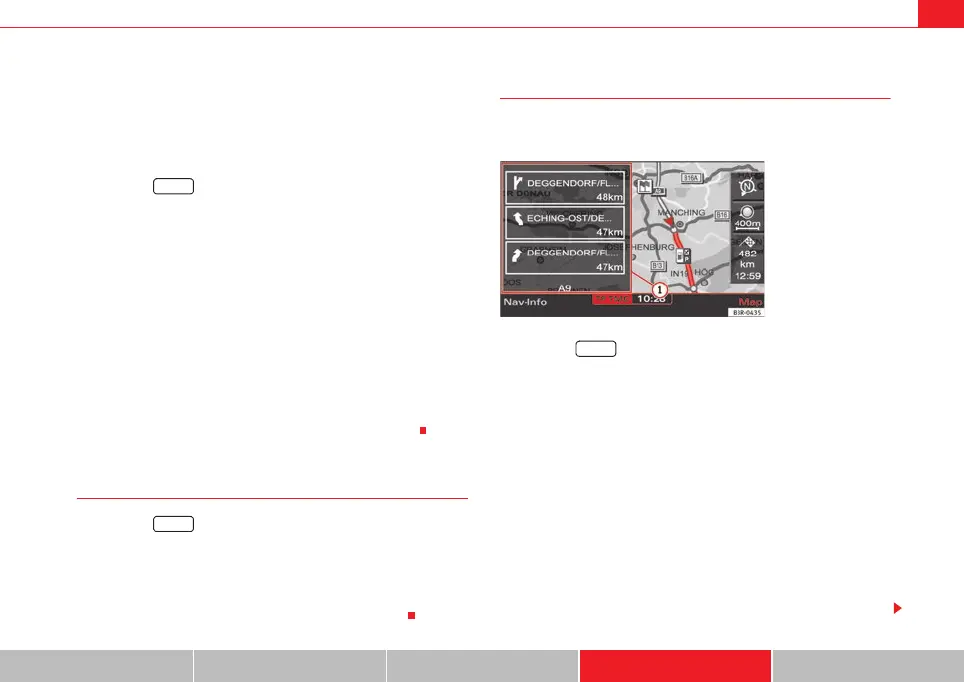
Turn list
During the route guidance a list of upcoming turns (including
distance) is displayed.
–Press the ⇒ page 9 function button in the navigation
menu.
– Place a tick
⇒ page 131, fig. 161 next to the option Turn list to
activate the option.
The turn list displays the next three upcoming turns ⇒ fig. 167.
The next upcoming turn is listed at the lowest position in the list.
Once you have completed the manoeuvre, it will be removed from the list. The
next turn will drop down from above, etc.
The following information is displayed in the turn list:
• Recommended turning direction, roundabouts and slip roads, stopovers
and final destination
• Names of all roads on to which you should turn
• Distance to the corresponding manoeuvre and final destination
SETUP
SETUP
Fig. 167 Navigation
settings: Map display
with turn list activated
SETUP
A
1
media_systemE_EN.book Seite 135 Montag, 21. September 2009 1:48 13



 To Next Page