Instructions for Use
Resting & Stress ECG with seca
ct330/331 and seca diagnostic 5.9
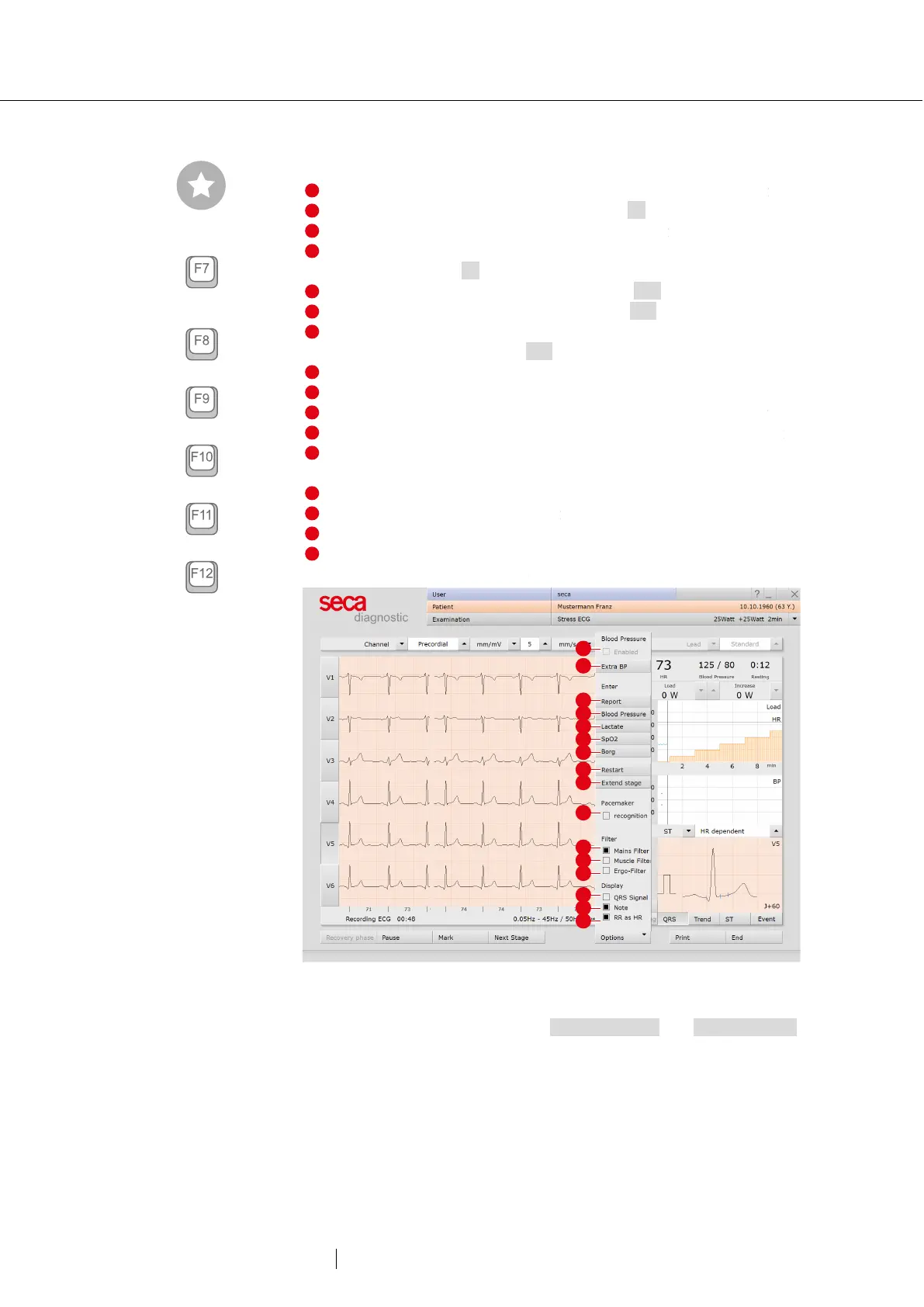
Options menu
Turning on and off the automatic blood pressure measurement
Trigger an additional BP measurement or F7
Dialogue box for entering an unconfirmed report
Dialogue box for entering the blood pressure (with manual
measurement) or F9
Dialogue box for entering lactate values or F10
Dialogue box for entering SPO2 values or F11
Input of Borg values to document the subjective feeling of a
patient (e.g., strenuous) or F12
Restart of ergometry without previous profile selection
Extending the current level (only possible after starting)
Detection of pacemaker spikes, if the patient has a pacemaker
Filter for removing interferences caused by the power supply unit
Filter for flattening the ECG signal (e.g., in the event of
amyostasia)
Ergo filter for compensating strong movement artefacts
Signal tone with each heart beat
Switching on and off of signals when Notes limits are exceeded
In the bar below the ECG the heart rate is displayed instead of
RR intervals in milliseconds
Fig. 26: Options stress ECG, during recording
For stress ECG with a treadmill, the Constant speed and Constant slope
options are also displayed. These options can be used to set the speed
and slope at the current level. The speed and slope remain the same
throughout the rest of the recording and are no longer increased. These
options can be used to prevent the patient being subject to excessive
stress.
Tip: Keyboard shortcuts
Additional BP measurement
End and measure a load level
for steady state profile
Blood pressure input
Lactate input
SPO2 input
Borg input



 To Next Page