Instructions for Use
Resting & Stress ECG with seca
ct330/331 and seca diagnostic 5.9
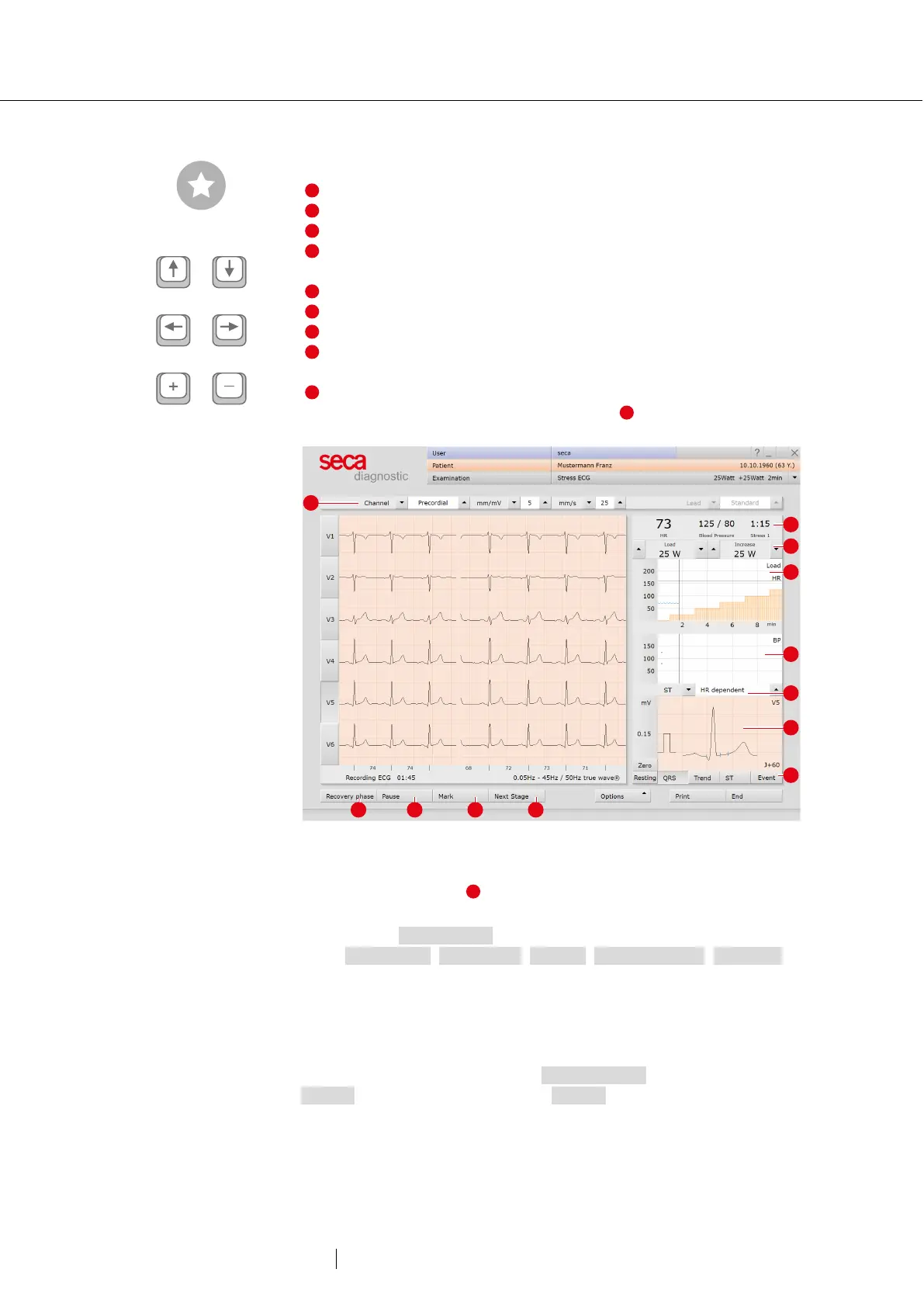
Display and control elements (view after starting)
Setting options for ECG display
Buttons for controlling and editing the ECG recording
Heart rate and blood pressure, countdown of the current level
Change current load and increase for ergometer profiles or
speed and slope for treadmill profiles
Load profile (orange) with heart rate curve (blue)
Blood pressure curve (green)
Display of summary complexes (selection of the channel with the
buttons on the left side in front of the ECG signal)
Display of ST trend curve, ST values and event overview (online
arrhythmia detection); button in the area flashes red when the
Fig. 27: Stress ECG recording
Load change settings :
You can define by how many watts load and increase should change
each time the arrow buttons are pressed. This setting can be found
under Examination, Stress ECG, Settings, Menu/Functions, ECG view in
the “Manual load change” area.
Manual blood pressure measurement
You are regularly requested to measure blood pressure. Enter the
values in seca diagnostic. Click on Blood pressure or the “F9” in the
Options menu and enter the values. Confirm to apply your input.
Entering lactate (“F10”), SPO2 (“F11”) and Borg (“F12”) values works in
the same way.
Tip: Keyboard shortcuts
Change load or speed
Change increase
Change amplitude



 To Next Page