6.2 Self-Supervision Messages
Enter [Operation / Self-Supervision / Messages] »Messages« to access the list of Self-
Supervision messages. In particular, it is recommended to check these in case of some
problem with respect to the WIC1 functionality.
The Self-Supervision collects various security-related messages (e. g. restarts or setting
changes) and WIC1-internal status messages, warnings and error messages.
All Self-Supervision messages that can potentially appear are described here: ╚═▷
“10 Troubleshooting”.
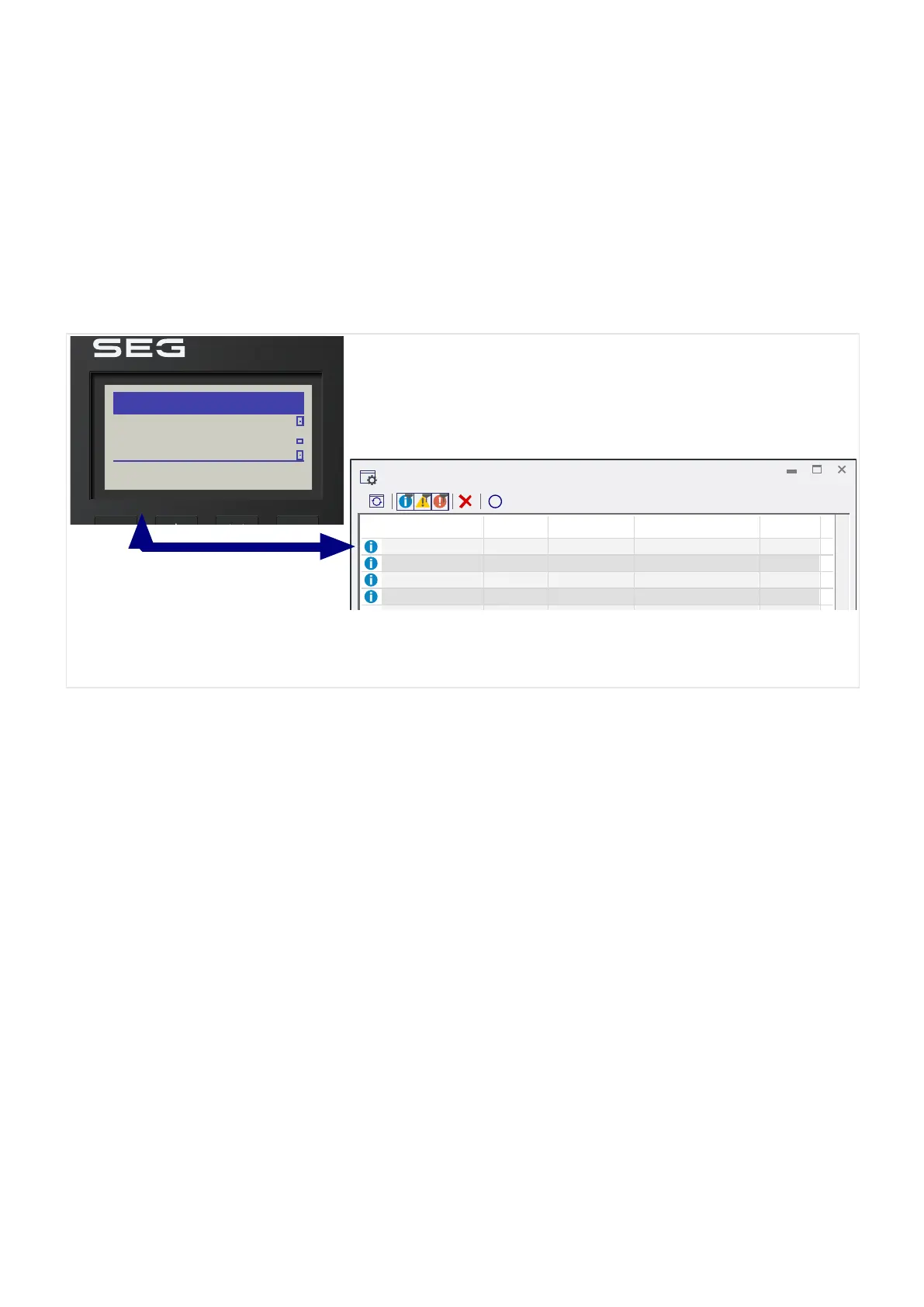
Fig. 67: Example messages on the DiggiMEC display (left) and on the Smart
view »Messages« dialog (right).
All messages are displayed together with an identier (e. g. “SI2 Device restart” or “SI3
Settings changed”); this identier makes it easier to locate detailed information about it.
The identier always starts with an “S”, next comes either an “I” (for “Information”), a “W”
(for “Warning”), or an “E” (for “Error”).
General idea:
• E – Errors indicate serious problems. It is advisable to look up the message and take•
the recommended actions.
• W – Warnings should be checked by the user. They might indicate a problem that•
needs to be solved, so that – depending on the message and application – it might
be advisable to check warnings.
•
I – Information messages can be helpful for a thorough analysis of a problem, but in
•
general, such messages have indeed only an informative character and do not aect
the operation of the WIC1.
The example messages shown above (╚═▷ Fig. 67) are two pairs of device restarts (SI2) plus
setting changes (SI3). Note that all timestamps (third column) are relative times since the
last restart, because the WIC1 lacks a real-time clock. Whenever there is such a pair of SI2
and SI3, occuring within only a second time, it is a warm restart following a settings change
via DIP/HEX switches. (See also ╚═▷ “Validity of the DIP-/HEX-Switches”.)
The Self-Supervision messages can be conveniently browsed through using Smart view.
185WIC1WIC1-1.0-EN-MAN
6 Self-Supervision
6.2 Self-Supervision Messages


 To Next Page
 Loading...