CONTROL PANEL
71
12-1 REPLACING THE START BUTTON
1
Turn OFF the main power switch on the cabinet.
2
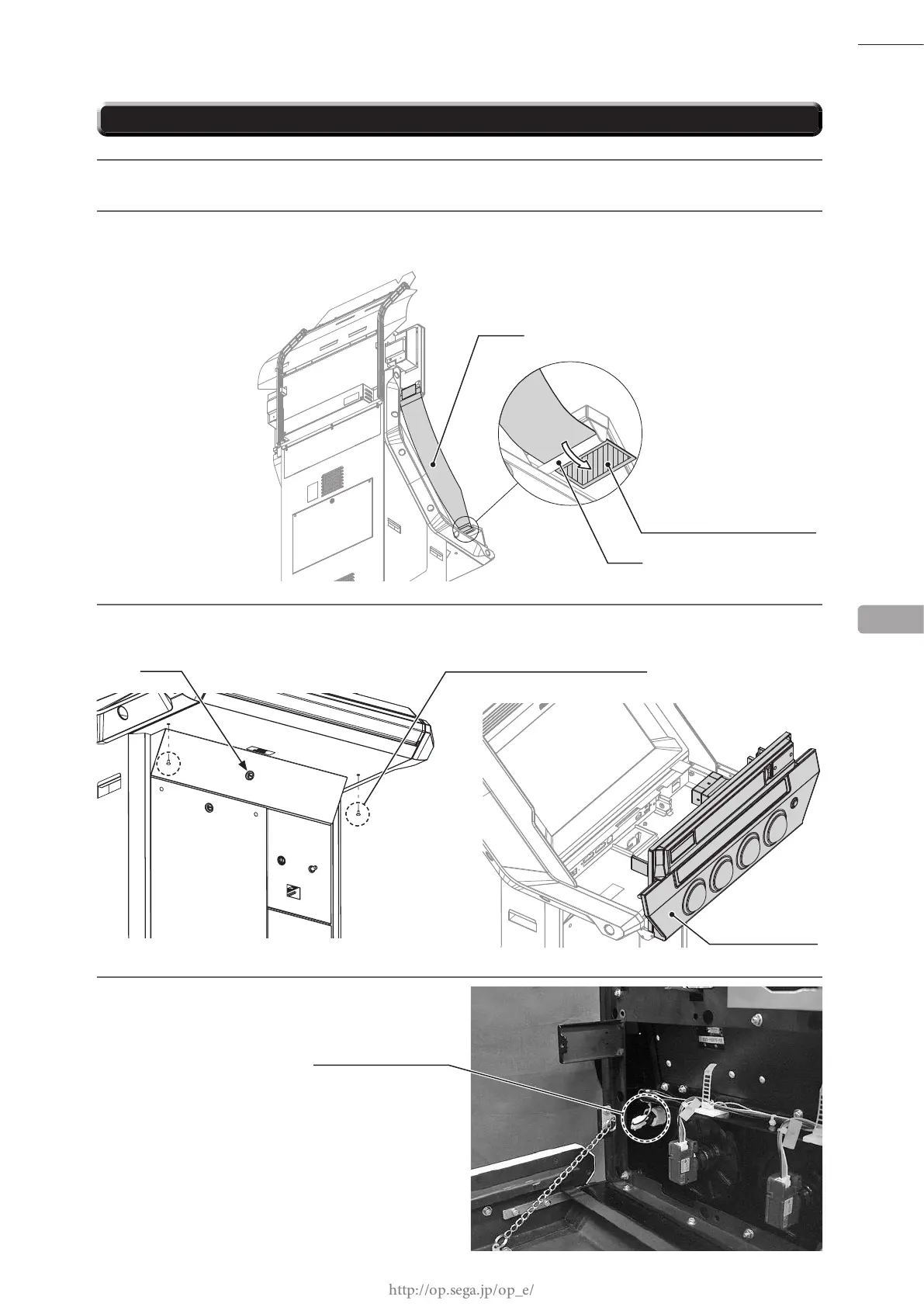
Remove the hook and loop fastener from the base of ag L and remove the ag from the pole on the
control panel. Take off the ag R from the other side in the same manner.
3
Remove 2 tamperproof screws. Unlock the control panel with the master key and then open it.
4
Disconnect the 2 faston terminals of the
START button.
12
CONTROL PANEL
FLAG L
HOOK AND LOOP FASTENER
POLE
Unlock
TAMPERPROOF SCREW (2), black
M5 x 10
F110
FASTON TERMINAL (2)














 To Next Page