SET UP
49
7
SET UP
7-1 CONFIGURING THE VARIOUS SETTINGS
In TEST MODE, congure and/or adjust the touch panel, store closing settings, and other game settings according to
the operating environment. (See 7-1-1/7-1-2, "4-5 GAME ASSIGNMENT" in the Service Manual.)
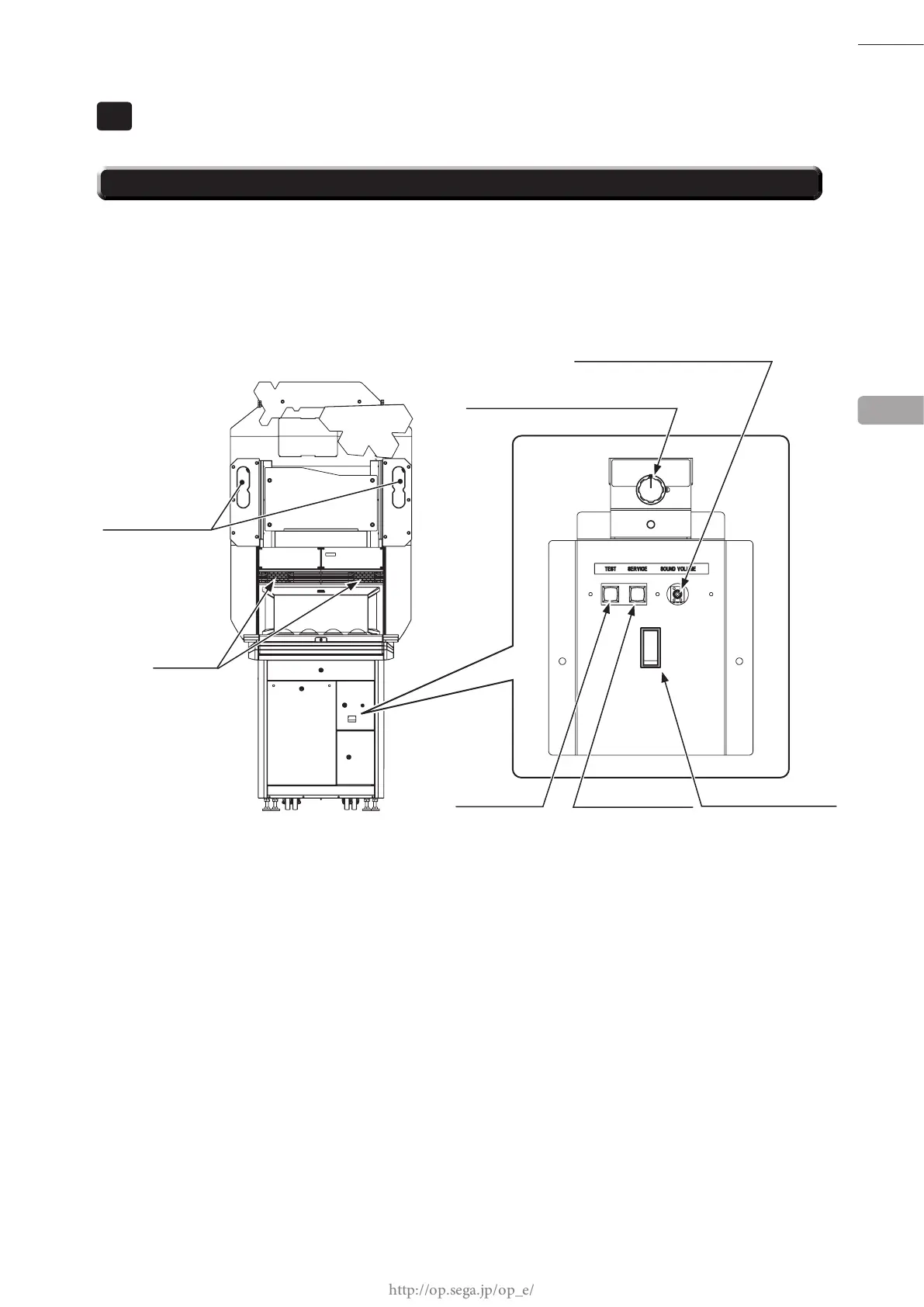
The TEST Button and SERVICE Button on the inside of the selector door are used for TEST MODE controls.
Also, adjust the volume to an appropriate level via the upper speaker volume and sound volume, taking into
consideration the surrounding environment of the installation location.
In SYSTEM TEST MODE, there are items for checking board information and operation, screen adjustment, etc.,
but the only item used for "
初音ミク
Project DIVA Arcade Future Tone" is screen adjustment. The other items are
normally not used.
Check to see if the screen requires adjustment before adjusting the touch panel. (See Chapter 13, "3-4 MONITOR
TEST" in the Nu Service Manual.)
7
SUB POWER SWITCH
UPPER SPEAKER
SPEAKER
SOUND VOLUME
Speaker on upper section of LCD
UPPER SPEAKER VOLUME
Speaker on upper section of cabinet
TEST BUTTON
SERVICE BUTTON














 To Next Page