CONTROL PANEL
73
12-2 REPLACING THE △ , □ , × AND ○ BUTTONS
This manual explains how to replace the
△
button.
1
Refer to Steps 1 to 3 in "12-1" and open the control panel.
2
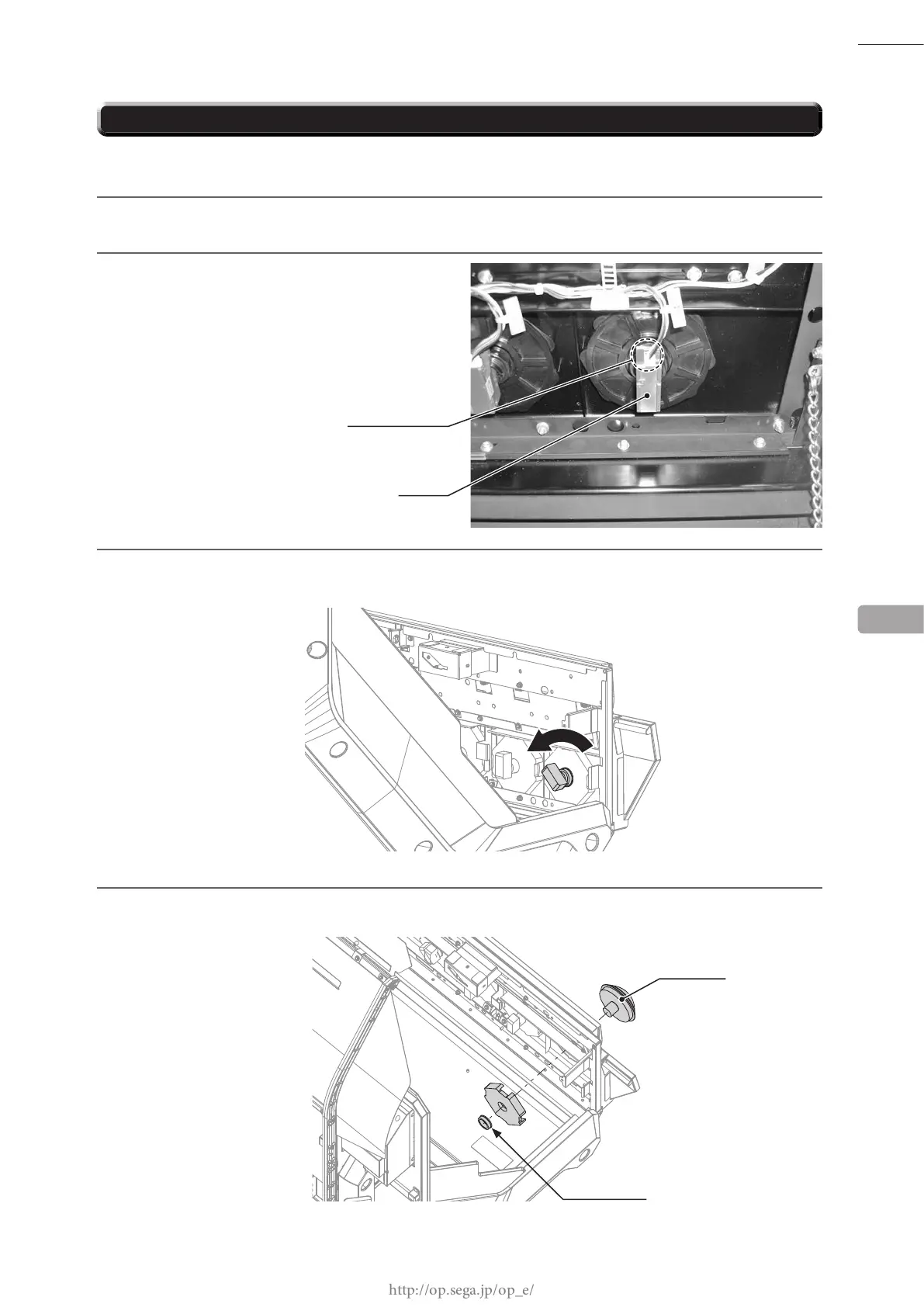
Disconnect the 1 connector.
12
3
Rotate the switch 45 degrees counter-clockwise to release the lock and take off the switch.
4
Remove the plastic nut and take off the
△
button.
PLASTIC NUT
△
BUTTON
SWITCH
CONNECTOR (1)
PA5P














 To Next Page