LCD
81
13-3-1 MENUS
Be careful not to enter the wrong input by mistake, as doing so may alter display settings and cause the screen to
stop displaying properly.
NOTE:AttheMENUdisplay,selectanitemandpresstheENTERkeytodisplaythatSUBMENU.
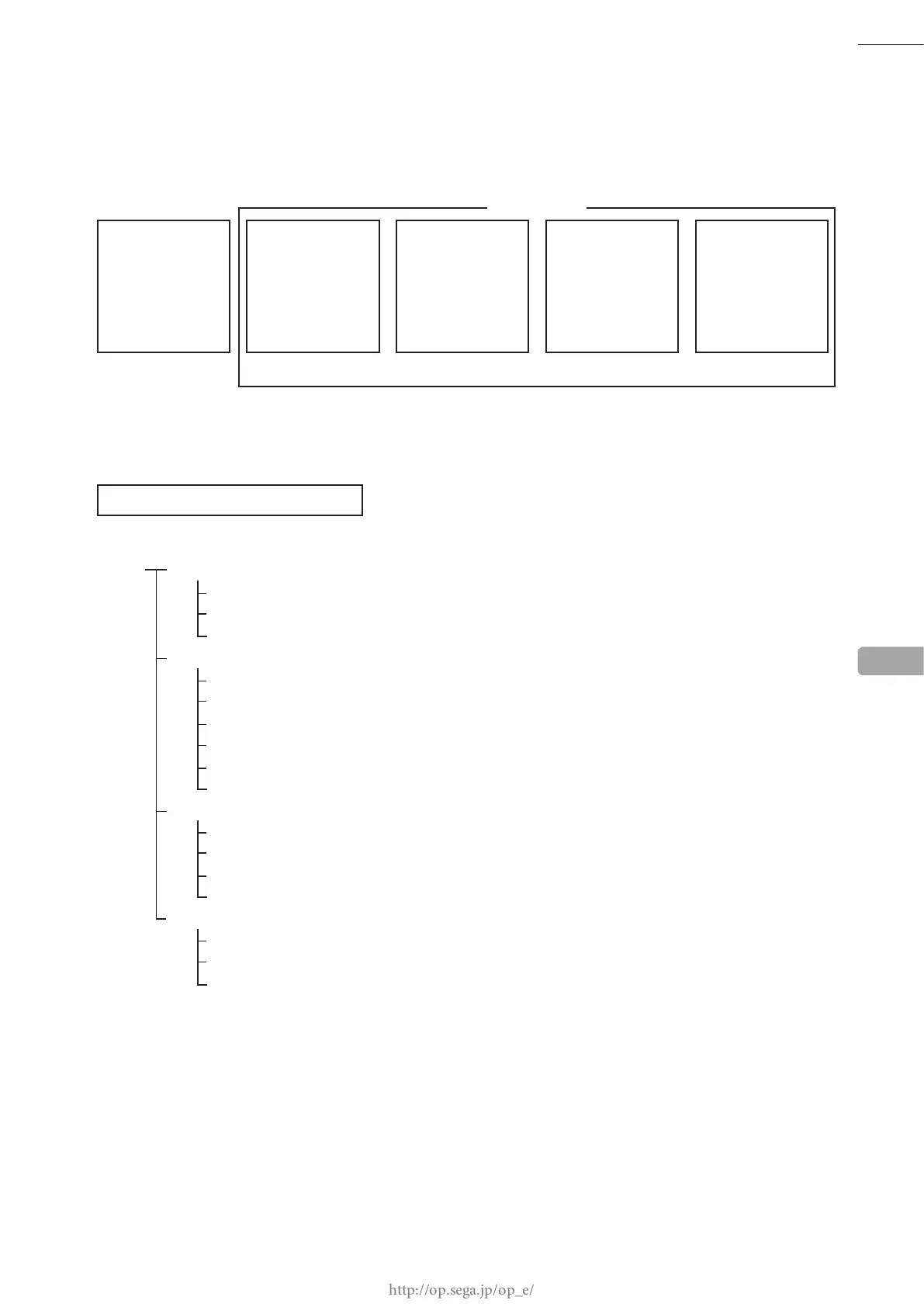
LIST OF SETTING ITEMS
MENU PICTURE
BRIGHT -50 ~ +50
CONTRAST 0 ~ 100
SHARPNESS 0 ~ 3
W/B (A/B)
R-DRIVE -50 ~ +50
G-DRIVE -50 ~ +50
B-DRIVE -50 ~ +50
R-CUTOFF -50 ~ +50
G-CUTOFF -50 ~ +50
B-CUTOFF -50 ~ +50
SCREEN
*1 H. POSI -50 ~ +50
V. POSI -50 ~ +50
CLOCK -50 ~ +50
PHASE -50 ~ +50
FUNCTION
MODE W/N1/N2/N3
OSD ON/OFF
RESET YES/NO
AUTO SETUP ENTER/EXIT
ADJUSTMENT/SETTING VALUE
.......................
................
..............
.....................
.....................
.....................
..................
..................
..................
.......................
.......................
.......................
.......................
..........................
.............................
.........................
...........................................
NOTE:
*1: Adjustable range for screen position varies according to MODE settings.
13
PICTURE
W/B
SCREEN
FUNCTION
BRIGHT
CONTRAST
SHARPNESS
R-DRIVE
G-DRIVE
B-DRIVE
R-CUTOFF
G-CUTOFF
B-CUTOFF
H.POSI
V.POSI
CLOCK
PHASE
MODE
OSD
RESET
SUB MENU
MENU
PICTURE SUB
W/B SUB SCREEN SUB
FUNCTION SUB














 To Next Page