80
LCD
4
When you have finished making adjustments/configuring settings, press the ENTER key to save the
adjustments/settings and exit. To revert the adjusted/set data to its previous value, press the EXIT key
instead of the ENTER key, and you will be returned to the MENU without saving changes.
The following explains the basic input method for making the various adjustments.
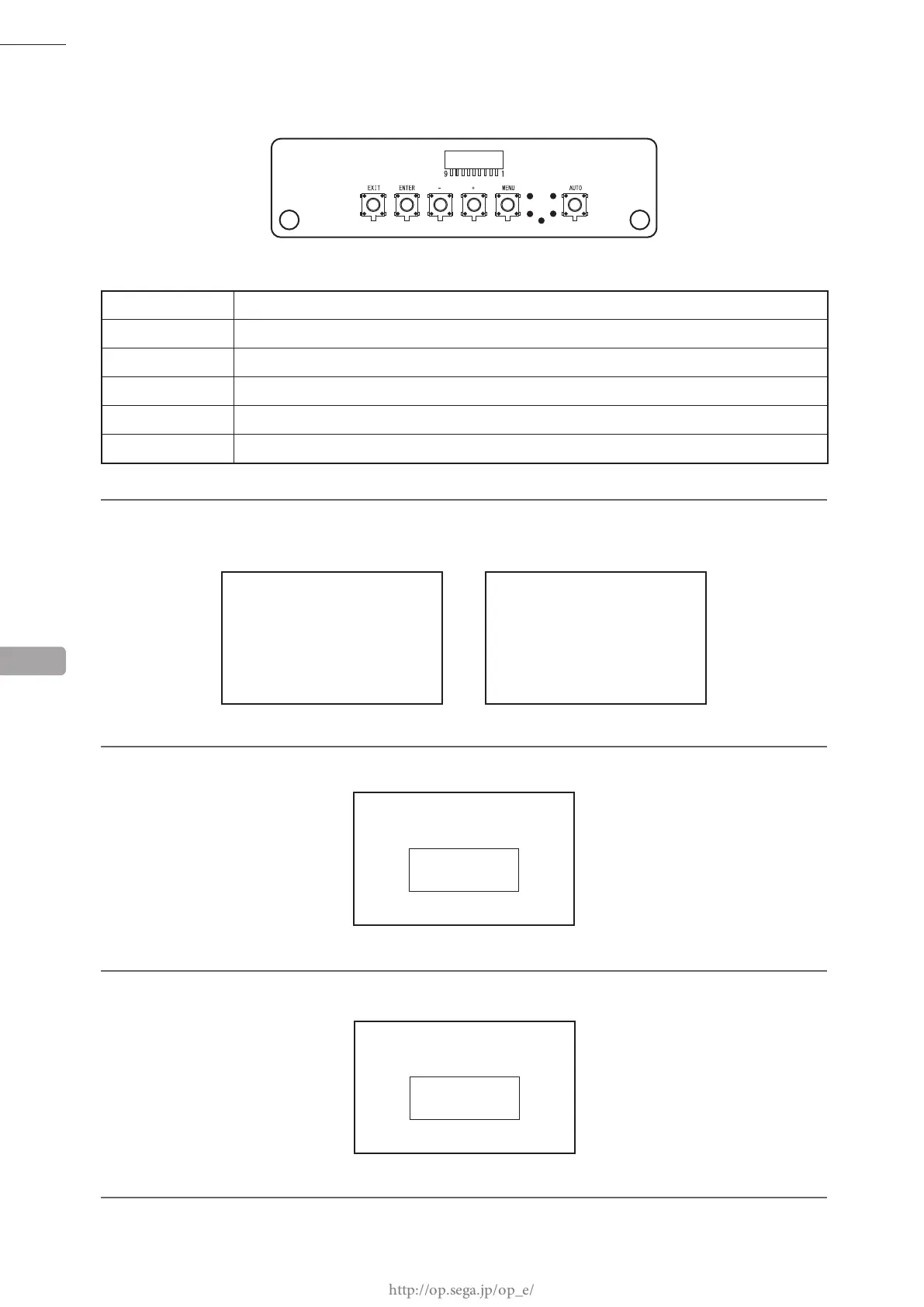
ADJUSTMENT BOARD
AUTO Auto setup (adjust automatically)
MENU Turn MENU display ON / Change pages
+
Change selected MENU item / Increase adjustment value or setting value
-
Change selected MENU item / Decrease adjustment value or setting value
ENTER Conrm selected MENU item / Save adjusted value or setting value
EXIT Exit MENU / Cancel adjusted value or setting value
1
To perform an adjustment/setting, press the MENU key to display the MENU. Use the
+
/
-
keys to select
the desired SUB MENU and then press the ENTER key to display that SUB MENU.
2
Use the
+
/
-
keys to select an item to adjust/set and then press the ENTER key to display that item.
ADJUSTMENT/SETTING ITEM 1 (IF "BRIGHT")
3
Press the
+
/
-
keys to adjust/set the value.
ADJUSTMENT/SETTING ITEM 2 (IF "BRIGHT")
MENU SUBMENU
13
BRIGHT
*
BRIGHT
**
PICTURE
W/B
SCREEN
FUNCTION
→
BRIGHT
CONTRAST
SHARPNESS














 To Next Page