ASSEMBLY AND INSTALLATION
35
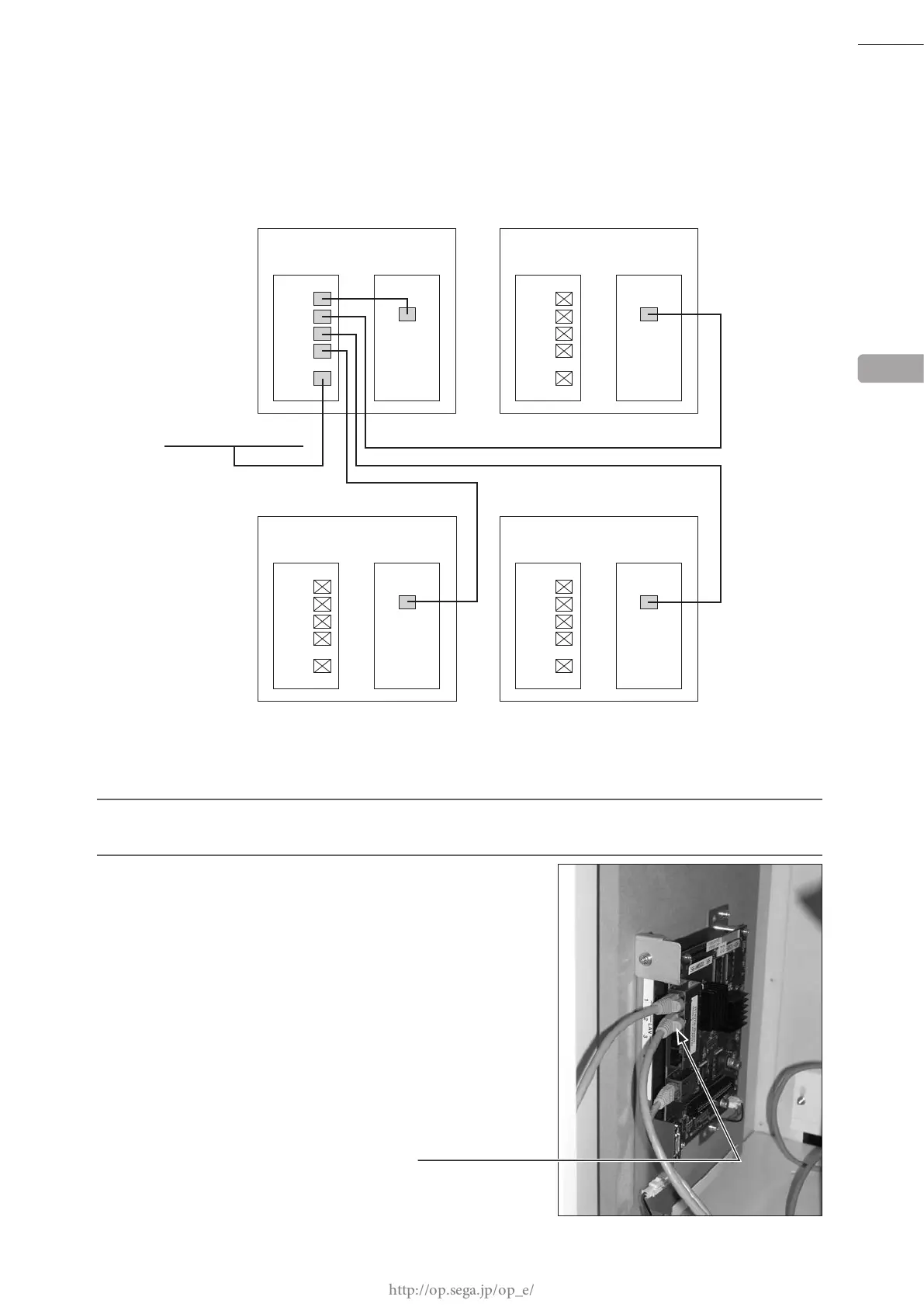
6-4-2 OPERATING MULTIPLE CABINETS
When operating multiple cabinets, 1 cabinet must be set as the server machine. Up to 3 cabinets can be connected to
the server machine. (A total of 4 cabinets can be connected.)
The following explanation is for connecting 2 cabinets. When connecting 3 or more cabinets, refer to the steps below
and work in the same order.
1
Install the server machine that connects to the external network device. Refer to "6-4-1" and set 1 cabinet
as the server machine.
2
Thread the connector of the supplied LAN cable [50 m (164
ft)] of another cabinet through the square hole on the back
of the server machine, and connect it to any one of the ports
from No. 2 to 4. When doing so, do not connect to the WAN
port.
SERVER MACHINE'S ROUTER
To external network
CABINET (SERVER MACHINE)
ROUTER
LAN1
LAN2
LAN3
LAN4
WAN
Nu
LAN
CABINET
ROUTER
LAN1
LAN2
LAN3
LAN4
WAN
Nu
LAN
CABINET
ROUTER
LAN1
LAN2
LAN3
LAN4
WAN
Nu
LAN
CABINET
ROUTER
LAN1
LAN2
LAN3
LAN4
WAN
Nu
LAN
6
ROUTER PORT No. 2














 To Next Page