64
TOUCH SLIDER
11
11-2 REPLACING THE TOUCH SLIDER UNIT
11-1 CLEANING THE TOUCH SLIDER
● Remove smears by using a dry, soft cloth (flannels, etc.). Do not use a coarse
gauze, etc.
● For smear removing solvent, alcohol (ethanol) is recommended. When using
chemical detergent, be sure to follow instructions below:
- Dilute chemical detergent with water and dip a soft cloth in and then thoroughly
wring it to wipe smears off.
- Do not use a chemical detergent containing an abradant, powder or bleaching
agent.
- Do not use alkaline detergents such as glass cleaners, or solvents such as paint
thinners.
● Do not rub or scratch the face with hard items such as brushes, scrub brush, etc.
Clean the surface of the touch slider as appropriate.
1
Turn OFF the main power switch on the cabinet.
2
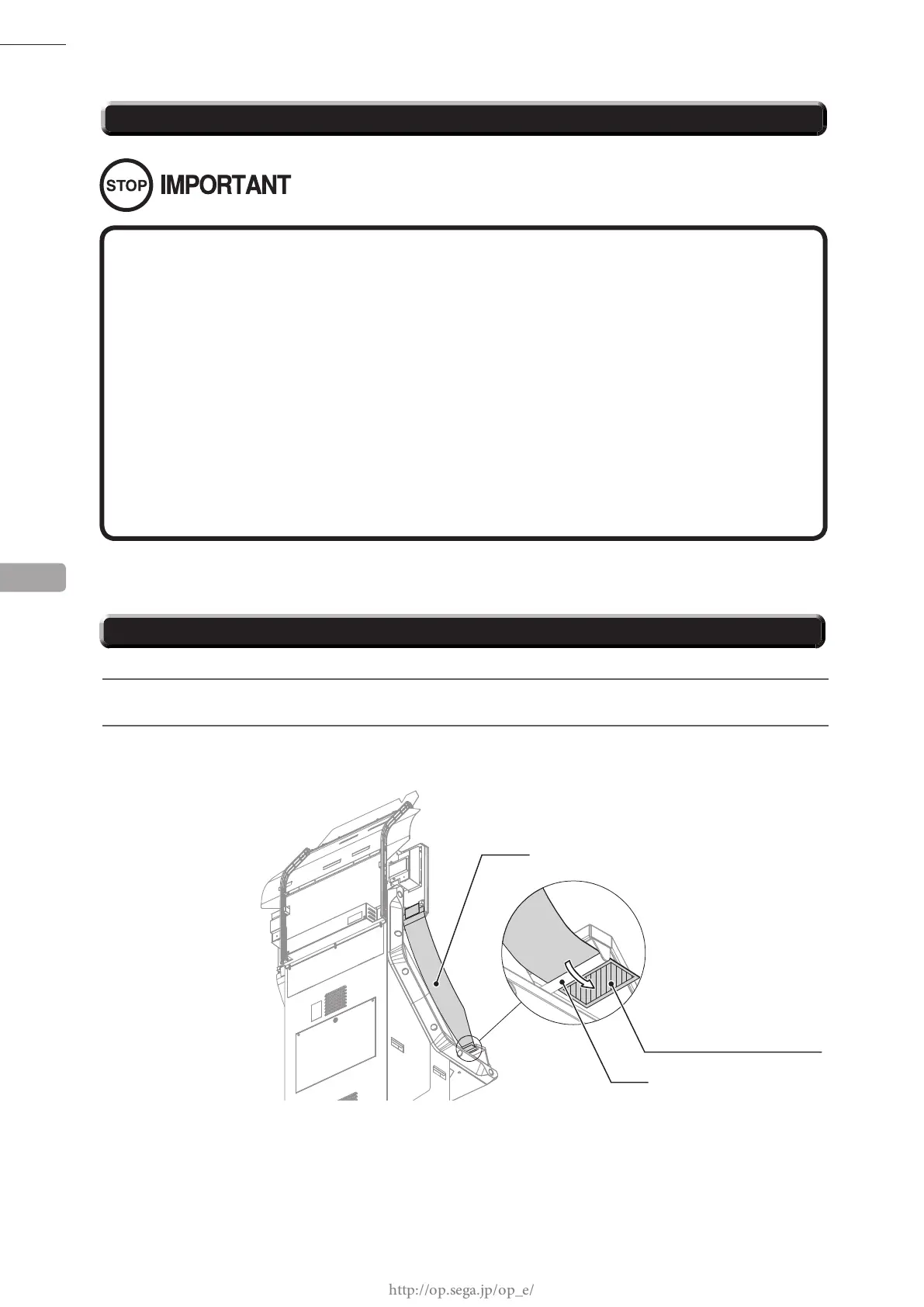
Remove the hook and loop fastener from the base of ag L and remove the ag from the pole on the
control panel. Take off the ag R from the other side in the same manner.
FLAG L
HOOK AND LOOP FASTENER
POLE














 To Next Page