1.6
SEL-351S Relay Instruction Manual Date Code 20080103
Introduction and Specifications
Hardware Connection Features
Hardware Connection Features
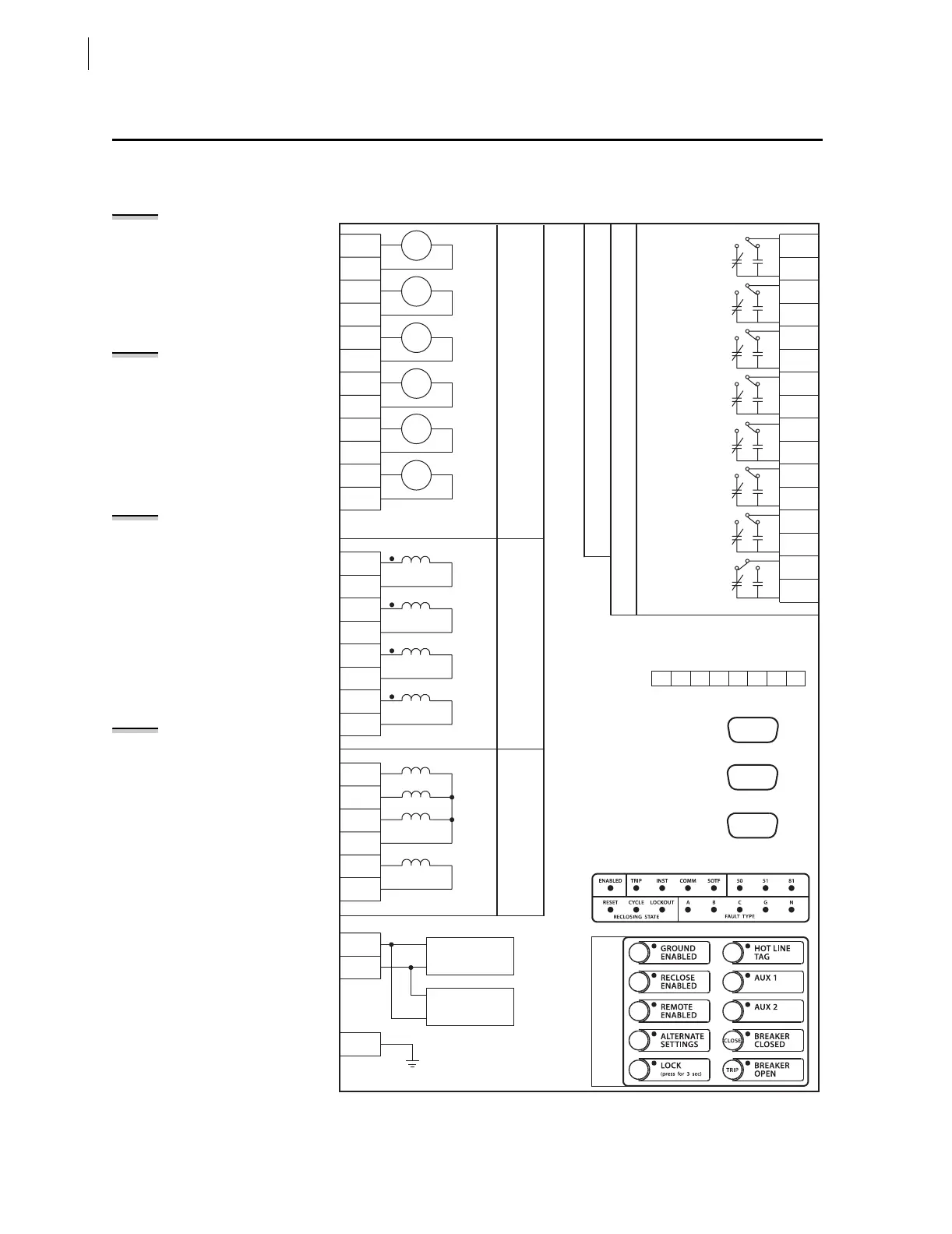
See subsection Specifications: General on page 1.10 and Section 2:
Installation for more information on hardware and connections.
Figure 1.2 Inputs, Outputs, and Communications Ports (Extra I/O Boards in
Figure 1.3 and Figure 1.4)
CHANNEL IN:
Table 4.4 and accompanying note
show the particular ground
directional elements available with
different options of the neutral
channel (IN) current input.
Nondirectional sensitive earth fault
(SEF) protection is also available with
the 0.2 A and 0.05 A nominal neutral
channel (IN) current input options.
VOLTAGE INPUTS VA, VB, VC:
Firmware revisions numbered R108
or higher can be configured via global
setting PTCONN to accept either wye
(line-to-neutral) or delta (line-to-line)
voltages using the open-delta
connection. The relay rear panel
markings and the internal
connections of terminals Z09–Z12 are
not changed. See Potential
Transformer Inputs on page 2.18 for
details on the open-delta connection.
AUXILIARY
VOLTAGE CHANNEL VS:
The VS channel in firmware
revisions numbered R108 or higher
can be configured via global setting
VSCONN = VS to accept a
synchronism check or general-
purpose voltage input or via
VSCONN = 3V0 to accept a broken-
delta residual voltage connection.
The relay rear-panel markings and
the internal connections of terminals
Z13 and Z14 are not changed. See
Potential Transformer Inputs for
details on the broken-delta
connection.
AUXILIARY TRIP/CLOSE
PUSHBUTTONS AND
BREAKER STATUS LEDS:
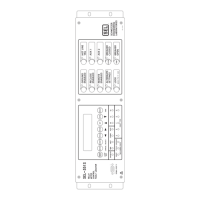
The auxiliary {TRIP}/{CLOSE}
pushbuttons and breaker status LEDs
in models 0351Sxxx5/6/A/B are
electrically separate from the rest of
the relay and are not shown in
Figure 1.2. Figure 2.5 and Figure 2.6
show these auxiliary pushbuttons and
LEDs and their rear-panel
connections. Figure 2.31 shows the
typical application for these auxiliary
pushbuttons and LEDs.
The Figure 1.2 {CLOSE}/{BREAKER CLOSED}
and {TRIP}/{BREAKER OPEN} operator
control pushbuttons are replaced by
{AUX 3} and {AUX 4}.
PORT F
(FRONT)
PORT 3
(REAR)
DB9
EIA-232
+ —
IRIG-B
EIA-485
876
(REAR)
JUMPER CONFIGURABLE
A28
A27
A26
A25
A24
A23
A22
A21
A20
A19
A18
A17
Z06
Z08
Z07
Z01
Z05
Z04
Z03
Z02
Z26
Z25
Z14
Z13
Z12
Z11
Z10
Z09
IA
IB
IC
IN
VA
VB
VC
N
VS
NS
PROGRAMMABLE OPTOISOLATED INPUTS
CURRENT INPUTS
VOLTAGE INPUTS
Z27
POWER
SUPPLY
BATTERY
MONITOR
+
CHASSIS
GROUND
A16
A13
A14
A15
A11
A12
A05
A08
A10
A09
A06
A07
A03
A04
A02
A01
OUT101
OUT102
OUT103
OUT104
OUT105
OUT106
OUT107
ALARM
PROGRAMMABLE OUTPUT CONTACTS
12345
ISOLATED
DB9
DB9
PORT 1
PORT 2
(REAR)
EIA-232 & IRIG-B
EIA-232
* OUT107 Can Operate as Extra Alarm
FRONT-PANEL TARGET LEDS
FRONT-PANEL
OPERATOR CONTROLS
—
IN
101
IN
102
IN
103
IN
104
IN
105
IN
106


 To Next Page