MRD 5800 – User Manual
Page 36 (116)
.
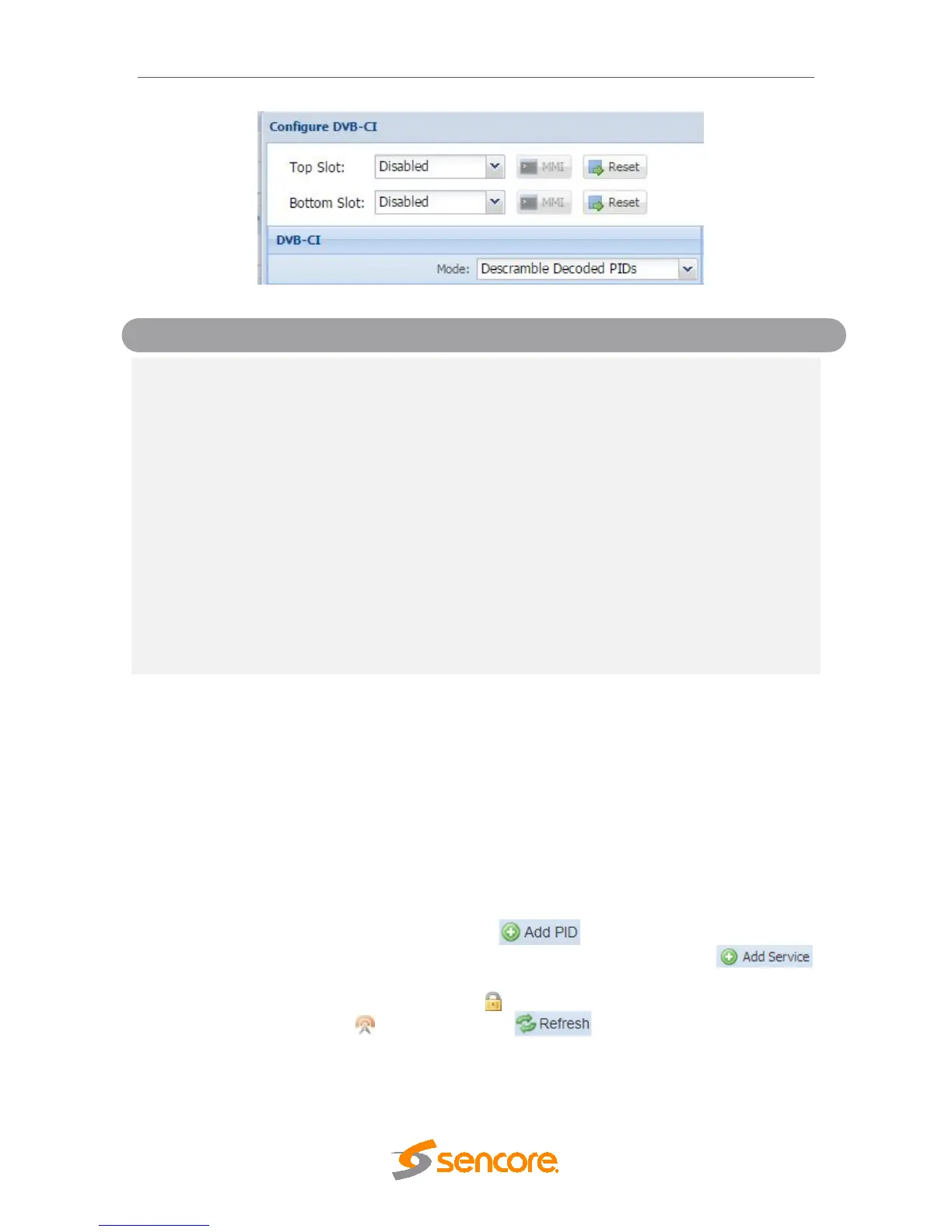
Descramble Selected PIDs
Descramble Selected Services
Decoded PIDs sets the MRD to descramble
only the PIDs of the service that is currently
set to decode. If the PIDs change in the
incoming stream the MRD will adapt to these
changes, provided that Service Selection is
set to “Service Lock” (Refer to Section
4.2.8). Selected PIDs sets the MRD to
descramble PIDs set in the Descramble
Services window (Refer to Section 4.2.8.2).
If the PIDs change in the incoming stream
the MRD will not adapt to these changes and
will not be able to descramble. Selected
Services sets the MRD to descramble
Services set in the Descramble Services
window Refer to Section 4.2.8.2). If the
Services change in the incoming stream the
MRD will not be able to descramble.
Bottom Slot
Disabled
This setting allows the user to enable or
disable the DVB-CI slot.
4.2.8.2 Configuring Service Descrambling
This menu allows the user to select the services the MRD 5800 will descramble using
the CAM Modules and Smart Cards inserted into the DVB-CI slots. See Section 4.2.8.1
to configure these slots. These options are applicable only if the Mode in the DVB-CI
settings is set to Selected PIDs or Selected Services (Refer to Section 4.2.8.1). The drag
and drop method can be used to drag services from the right column to the left column.
The drop down menu next to each selected service allows the user to choose either the
bottom or top slot to descramble the service. If in Selected PIDs mode, PIDs to
descramble can be added manually by clicking button. If in Selected Services
mode, Services to descramble can be added manually by clicking the
button. The icons next to each service indicate whether the service is scrambled or not
scrambled. Scrambled services will show the icon next to them while services that are
not scrambled will show the icon. Clicking the button forces the MRD 5800
to rescan the transport stream for changes.



 To Next Page