MRD 5800 – User Manual
Page 31 (116)
multistream capable, enable this setting. This
option is only available in DVB-S2 Mode.
NOTE: This is a licensed feature.
This setting is the ISI (Input Stream Identifier)
the MRD 5800 uses to filter multistream
input. This option is only available if
Multistream is licensed and enabled.
4.2.5 Configuring 8VSB/QAM Input
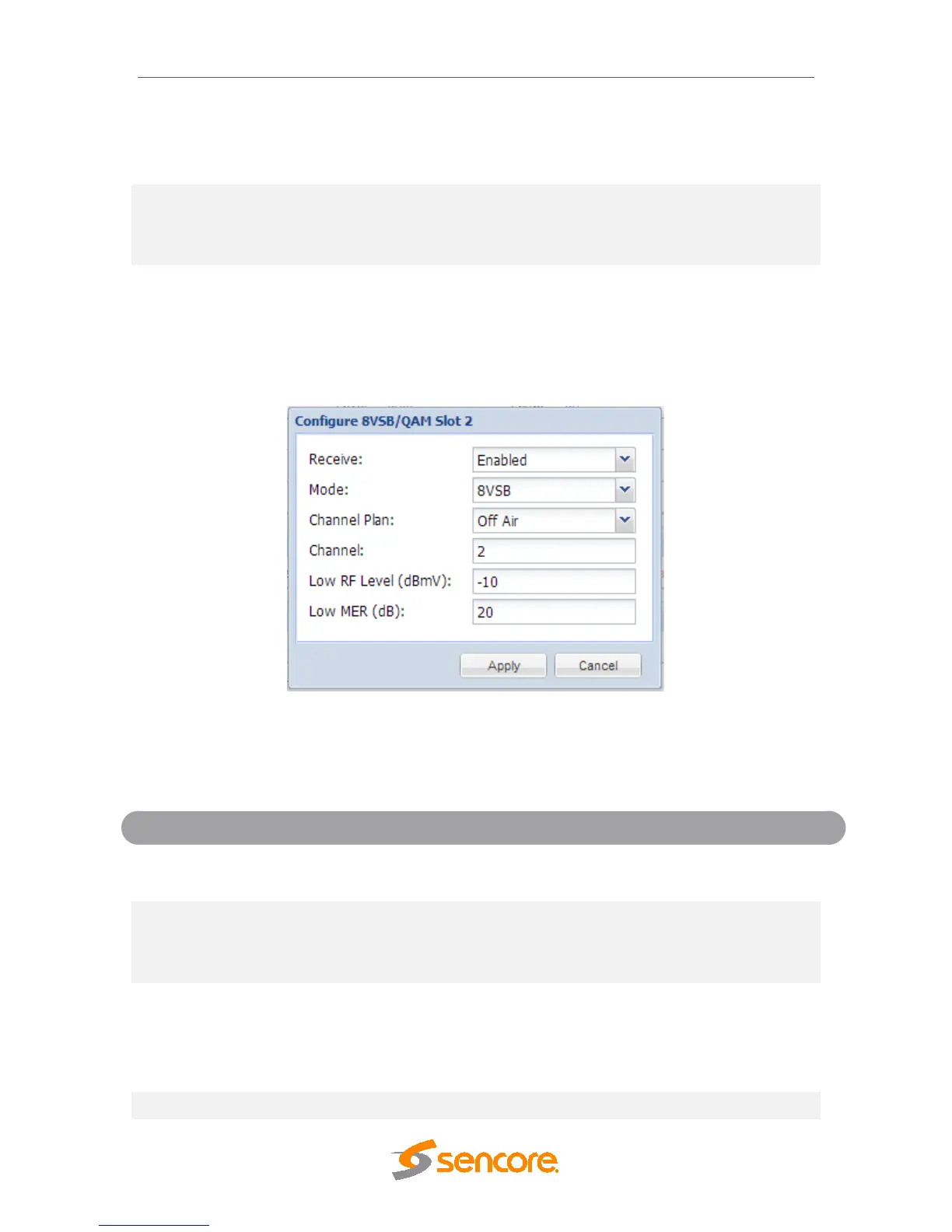
If the 8VSB/QAM Input card was selected as a factory installed option, the following
menus and options will be available for configuration. This menu allows the user to
configure the 8VSB/QAM input. This menu is for setting up the reception of 8VSB off air
signals or QAM cable signals.
Disabled
This setting allows the user to enable or
disable this reception port.
64-QAMB
256-QAMB
This setting allows the user to choose
between 8VSB or QAM modulation schemes.
FCC Cable
HRC Cable
IRC Cable
If 8 VSB is the selected Mode, the only
available option is Off Air. If either 64-QAMB
or 256-QAMB is the selected Mode, this
setting allows the user to choose which
Cable scheme is used.
This setting is for the desired channel to be



 To Next Page