MRD 5800 – User Manual
Page 43 (116)
4.2.11 Configuring Video Services
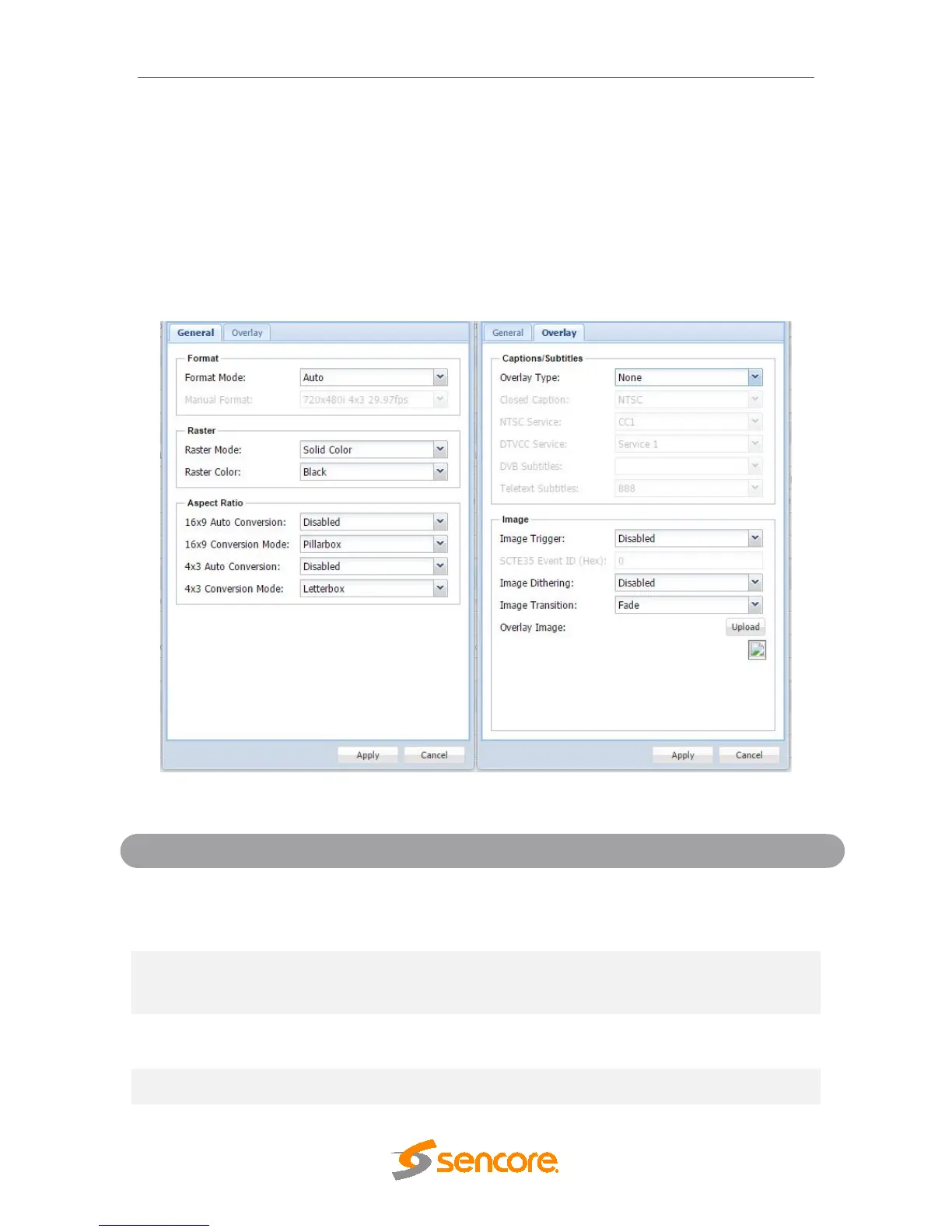
The menu allows the user to configure the SDI, Digital Video and Composite output
formats of the MRD 5800. Please note that the composite video output is only active if
the output video format is SD. Overlays and image insertion are configured in this menu
as well. This menu will be labeled as Primary Video if a Simultaneous SD Video Card is
an installed option.
General and Overlay Options
Manual
Setting to Auto the MRD 5800 will output
video to match the incoming native video
format. Setting to Manual the user can define
the video format the MRD 5800 will output.
for supported
formats.
This setting is the video format the MRD
5800 will output.
Last Frame
If no input is present the MRD 5800 will
output either the last frame present or raster.
Black, White, Yellow,
Cyan, Magenta, Red,
If no input is present and solid color option is
chosen the MRD 5800 will output raster. This



 To Next Page