MRD 5800 – User Manual
Page 47 (116)
4.2.13 Configuring Audio
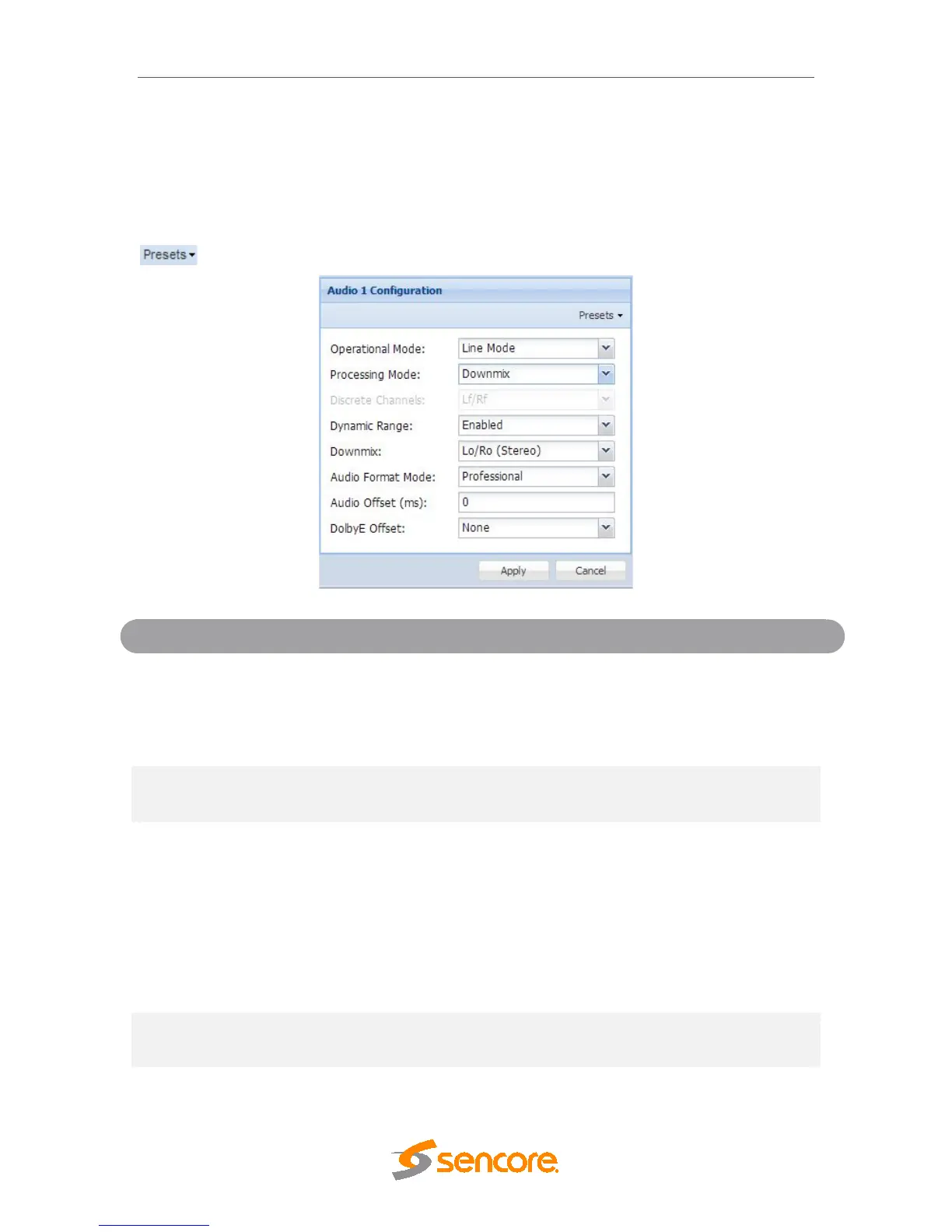
This menu allows the user to configure the audio downmix settings or select a pair of
discrete audio channels(if the 5.1 discrete audio license is present). Two audio presets
are available: Transmission and Monitor. These presets can be applied by clicking the
button. The menus for Audio 1 through Audio 8 all contain the same settings.
RF Mode
Custom 1
Custom 0
Refer to Appendix E for explanation.
Discrete
Refer to Appendix E for explanation.
Refer to Appendix F for explanation
C/LFE
Ls/Rs
Ch1/Ch2
Ch3/Ch4
Ch5/Ch6
Ch7/Ch8
Selectable Pairs of Discrete Channels(Refer
to Appendix F)
Disabled
Refer to Appendix E for explanation.
When the audio is downmixed in the MRD
5800 two audio channels are created. The



 To Next Page