MRD 5800 – User Manual
Page 80 (116)
128.0.0.0 -
191.255.0.0
192.0.1.0 -
223.255.255.0
This setting is the gateway address assigned to the
port.
1000Mbps/Full
1000Mbps/Half
100Mbps/Full
100Mbps/Half
10Mbps/Full
10Mbps/Half
Setting Link Speed to Auto allows the MRD 5800 to
determine the link speed of the network. If this is
not possible or the user wants to define a link
speed select one of the other values available.
4.3.6 Licensing
Certain features of the MRD 5800 require licenses in order to be functional. The
interface displays all licenses available as well as the following status:
• License Locked or Unlocked
• License is Supported or Unsupported by the installed hardware
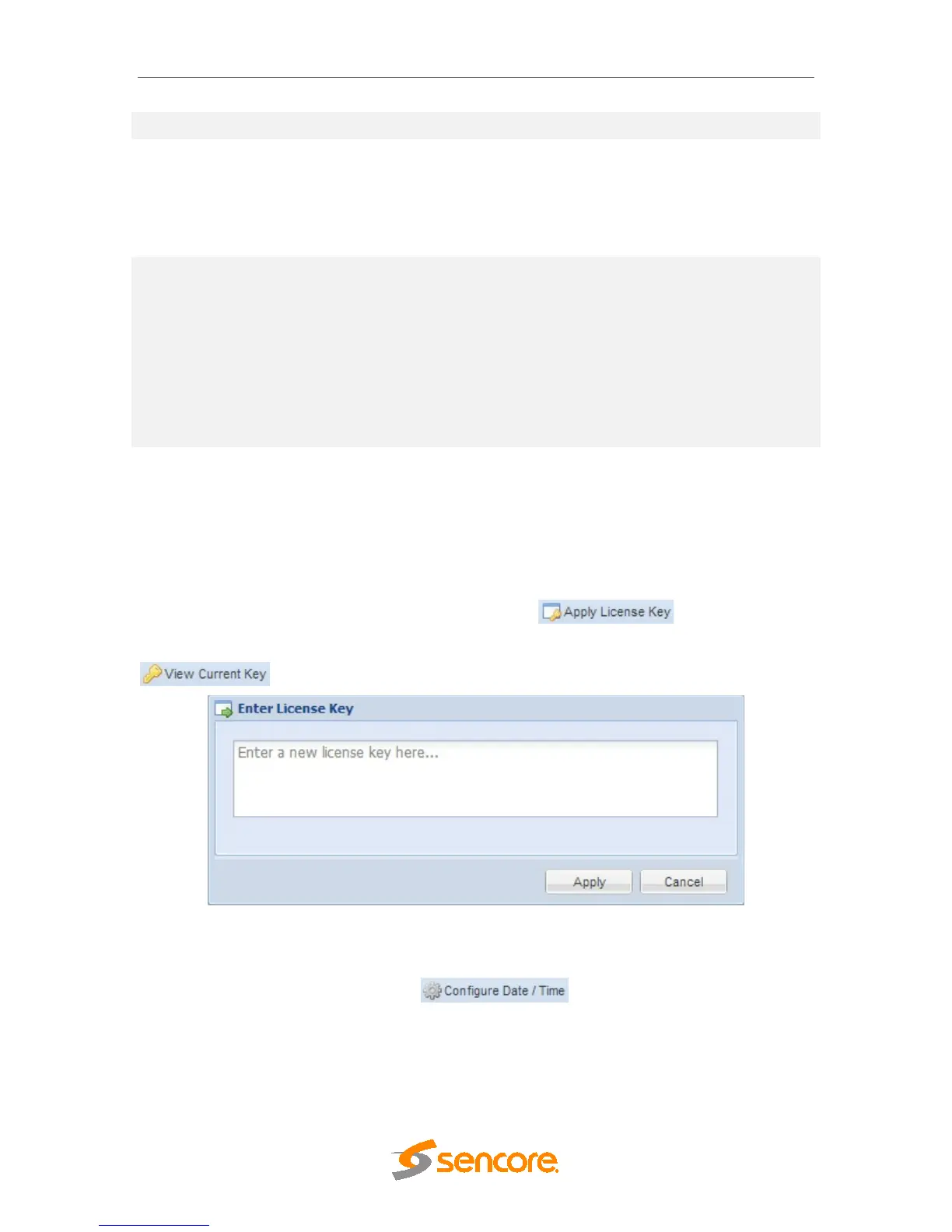
If licenses need to be applied to the MRD 5800 click button. The menu
below will appear where the user can copy and paste the provided license key from
Sencore. The currently applied license key can be viewed by clicking the
button.
4.3.7 Date/Time
The MRD 5800 can be set to synchronize with an NTP server or a manual data and time
can be defined by the user. Click the button to configure the date
and time. These values are used to timestamp entries in the Alarm and Event logs under
the Reporting tab.



 To Next Page