MRD 5800 – User Manual
Page 79 (116)
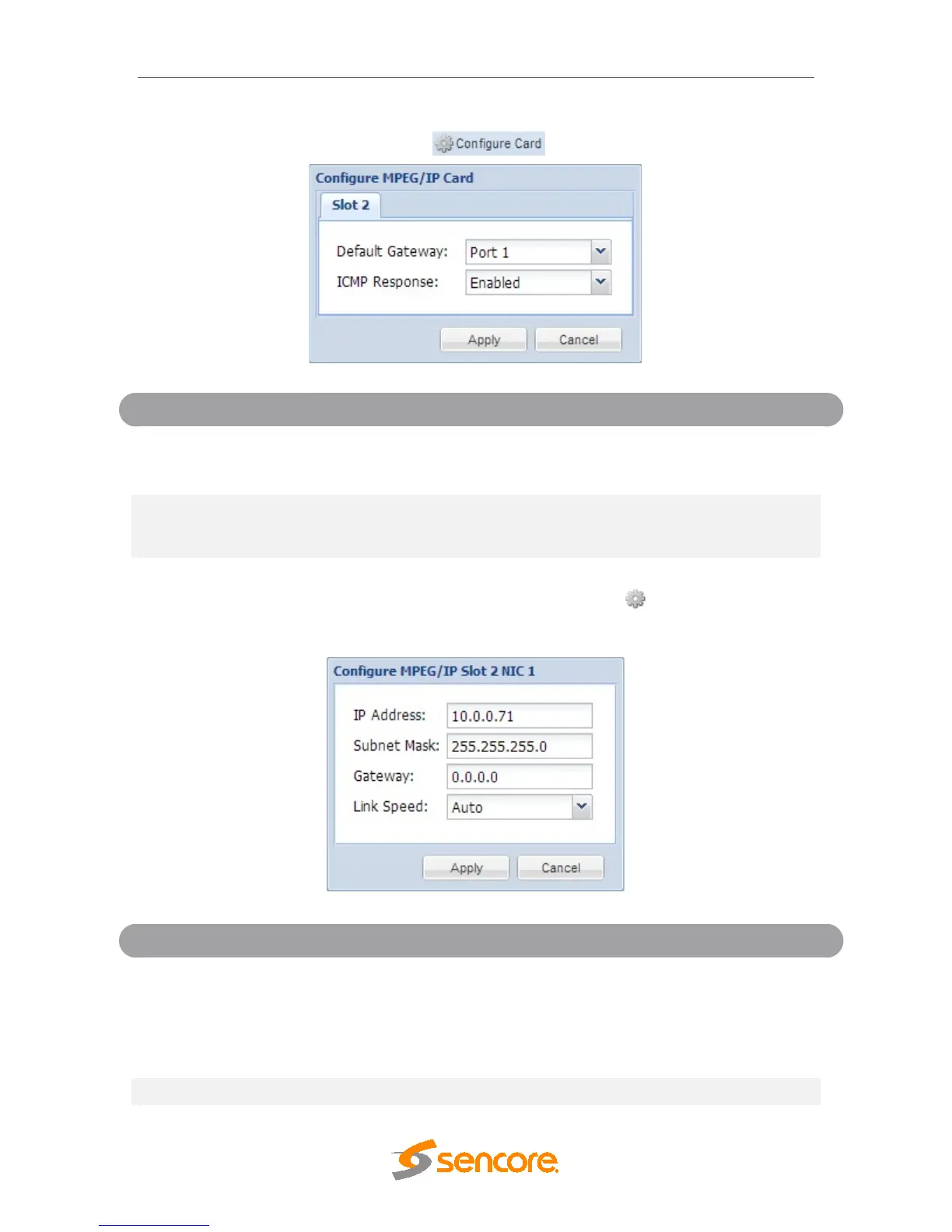
MRD 5800 can be configured from the web interface. To configure the Default Gateway
and ICMP Response settings click the button.
Port 2
Setting to Port 1 uses the gateway address of port
1 as the default gateway. Setting to Port 2 uses the
gateway address of port 2 as the default gateway.
Disabled
Setting to enabled allows the MRD 5800 to respond
to ICMP requests (ping). If disabled the MRD 5800
will not respond to these requests.
To configure the TCP/IP settings of the MPEG/IP ports click the button under the
MPEG/IP Network Configuration section next to the corresponding port. The settings for
both ports are the same.
128.0.0.0 -
191.255.0.0
192.0.1.0 -
223.255.255.0
This setting is the TCP/IP address assigned to the
port.
This setting is the subnet mask assigned to the



 To Next Page