MRD 5800 – User Manual
Page 66 (116)
4.2.22 Configuring Composite Output
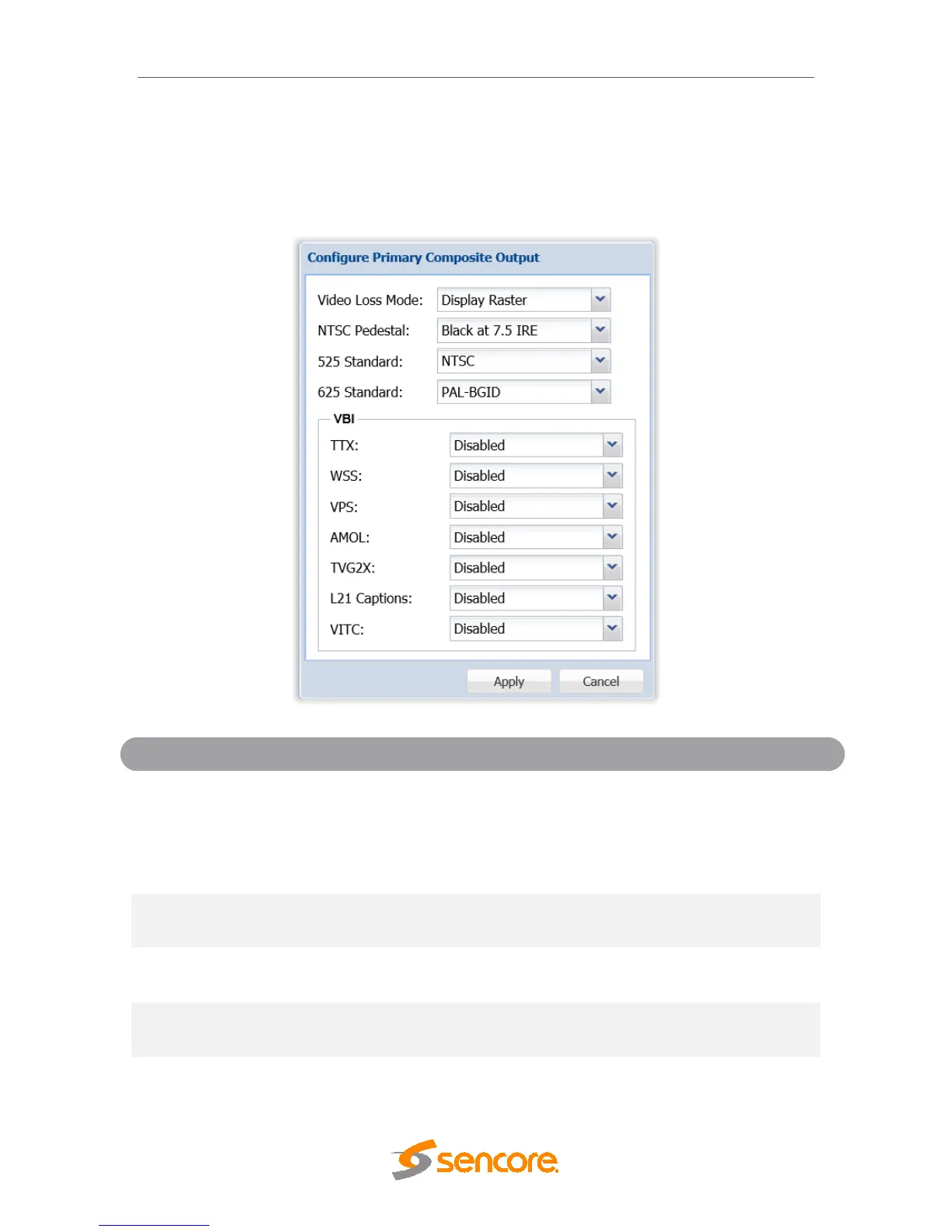
This menu allows the user to configure the composite video output (primary and
secondary if applicable) of the MRD 5800. Color subcarriers and VBI embedding are
configured in this menu. Please note that the composite video output is only active if the
output video format is SD.
Mode
Display Raster
This option allows the user to define how the
composite video output reacts when video is not
decoding. If Disable Composite is selected the
composite video output is squelched. If Display
Raster is selected the composite video output
displays the Raster Color defined in Section 4.2.9.
Disabled
Enabling the NTSC Pedestal uses the NTSC
pedestal (7.5 IRE) for black levels.
PAL-M
Select the color subcarrier used for 525 line video
formats.
PAL-N
Select the color subcarrier used for 625 line video
formats.
Disabled
Enable/Disable Teletext embedding in the VBI. The
line which Teletext will be embedded is dependent
on data in the incoming stream.



 To Next Page