MRD 5800 – User Manual
Page 67 (116)
Disabled
Enable/Disable Widescreen Signaling (WSS)
embedding in the VBI. WSS is output on line 23 in
the VBI.
Disabled
Enable/Disable Video Program System (VPS)
embedding in the VBI. VPS is output on line 16 in
the VBI.
Disabled
Enable/Disable Automated Measurement of Lineups
(AMOL) embedding in the VBI. The line which
AMOL will be embedded is dependent on data in the
incoming stream.
Disabled
Enable/Disable TV Guide data embedding in the
VBI. The line which TVG2X will be embedded is
dependent on data in the incoming stream.
Disabled
Enable/Disable Line 21 Closed Caption embedding
in the VBI. Closed Captions are output on line 21 in
the VBI.
Disabled
Enable/Disable Vertical Interval Timecode (VITC)
embedding in the VBI. VITC is sourced from the
video elementary stream and is embedded on line
14.
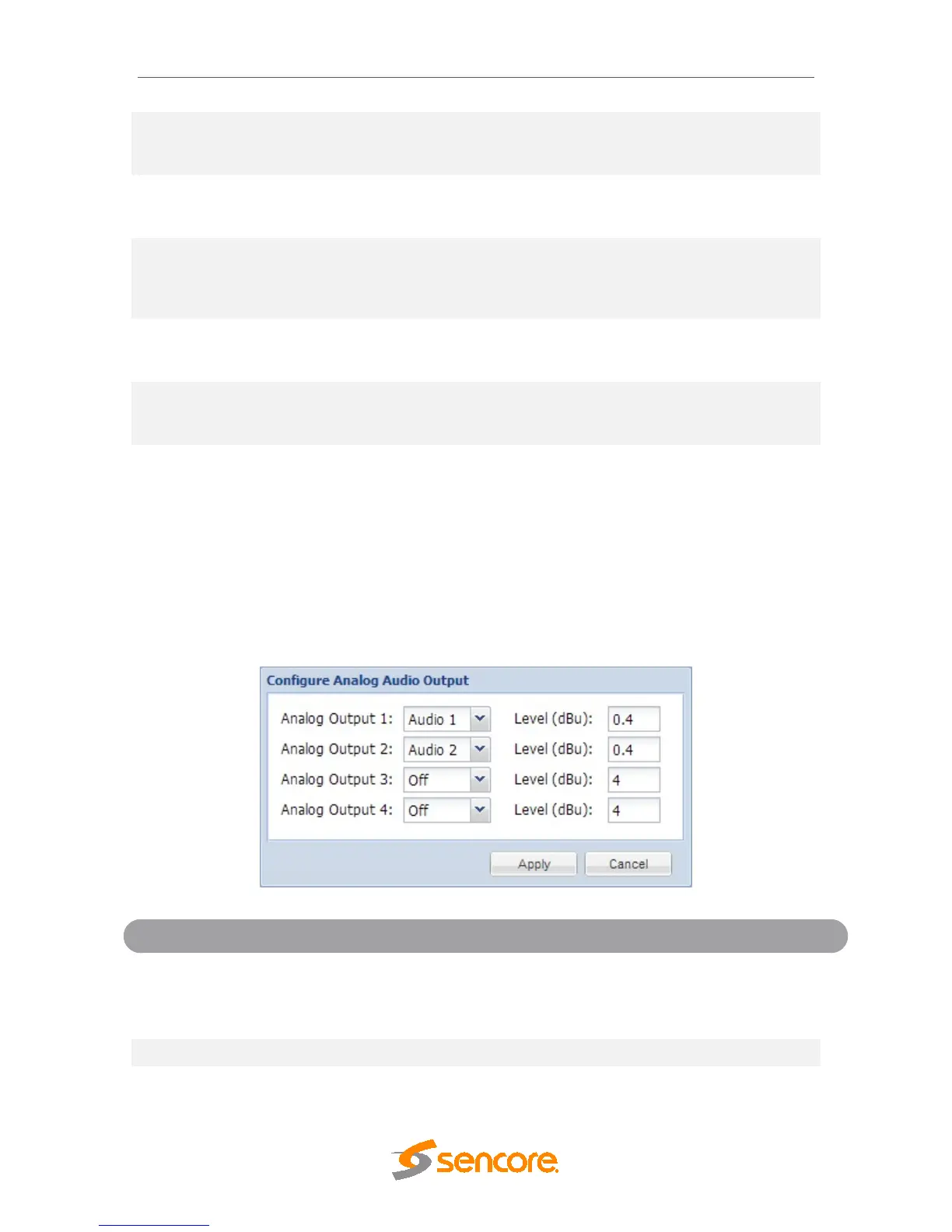
4.2.23 Configuring Analog Audio Output
This menu allows the user to configure the analog output outputs of the MRD 5800. Four
analog audio outputs are available. The dBu level of the outputs can be adjusted for
each of the four audio outputs. For the Analog Output connector pin out refer to
Appendix C.
Output 1-4
Audio 1-8
Assign Audio 1-8 to an analog audio output for
output. Select Off to disable the analog output
completely.
Level of the analog audio output in dBu.



 To Next Page