OmniHub 6/6D– User Manual
Page 117 of 182
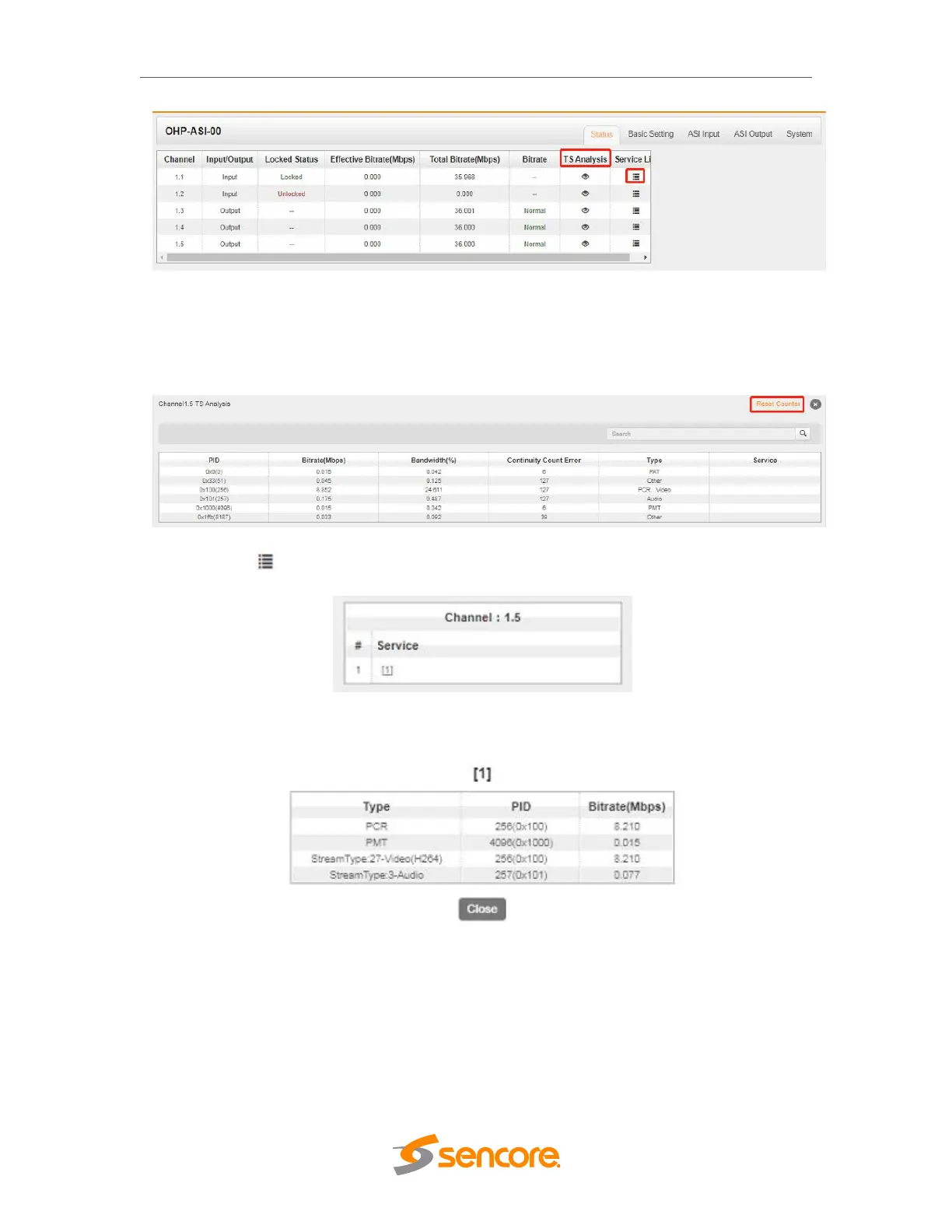
Click TS Analysis of each channel, you can see TS bitrate Analysis. Click Reset
Counter to reset the Continuity Count Error counter. In the Search bar, you can input
key words or numbers, such as PIDs, Type or Service, for a quick search.
Click the icon to check service information of all the inputs.
You can check program details by clicking the program item.
3.5.9.2 Module Setting



 To Next Page