OmniHub 6/6D– User Manual
Page 122 of 182
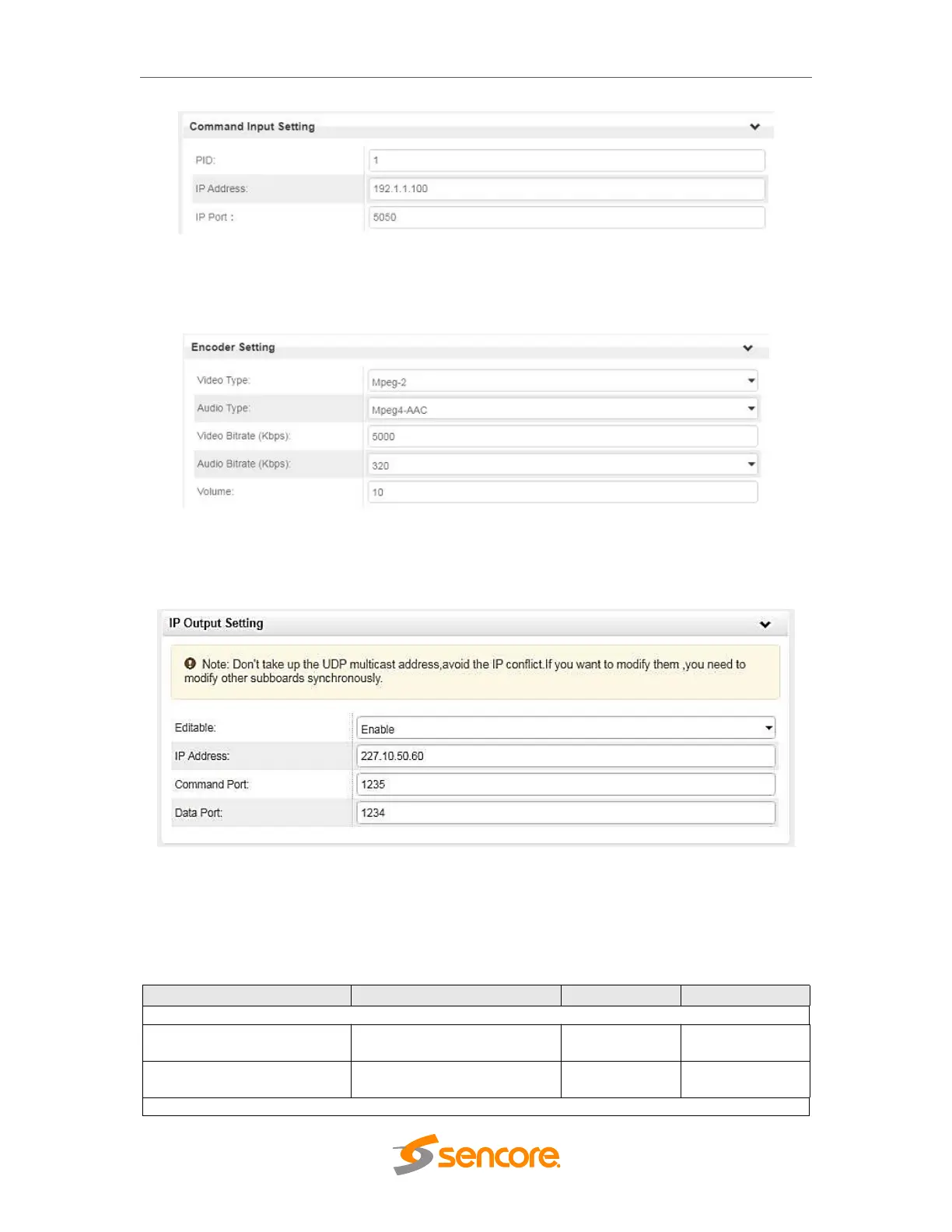
Command Input Settings. You specify the incoming PID, IP, and Port of the SCTE-18
triggers over the Ethernet cable. The IP EAS IN RJ45 Ethernet port on the module is
where this information must be received.
Encoder Settings. This section is for the RCA / Analog-AV inputs. When the takeover
content is provided in this fashion it must be encoded to MPEG “.TS” Transport Stream
data. The Video, Audio, and Bitrate settings are used to configure the format.
IP Output Settings
You can configure the command sent from the EAS module to the encoders. The
settings applied here must match in the EAS tab of each Encoder Module.
Table of all parameters in the EAS module:
Digital (IP)
Analogue (Dry Contact)
Normally Open
Normally Closed



 To Next Page