OmniHub 6/6D– User Manual
Page 138 of 182
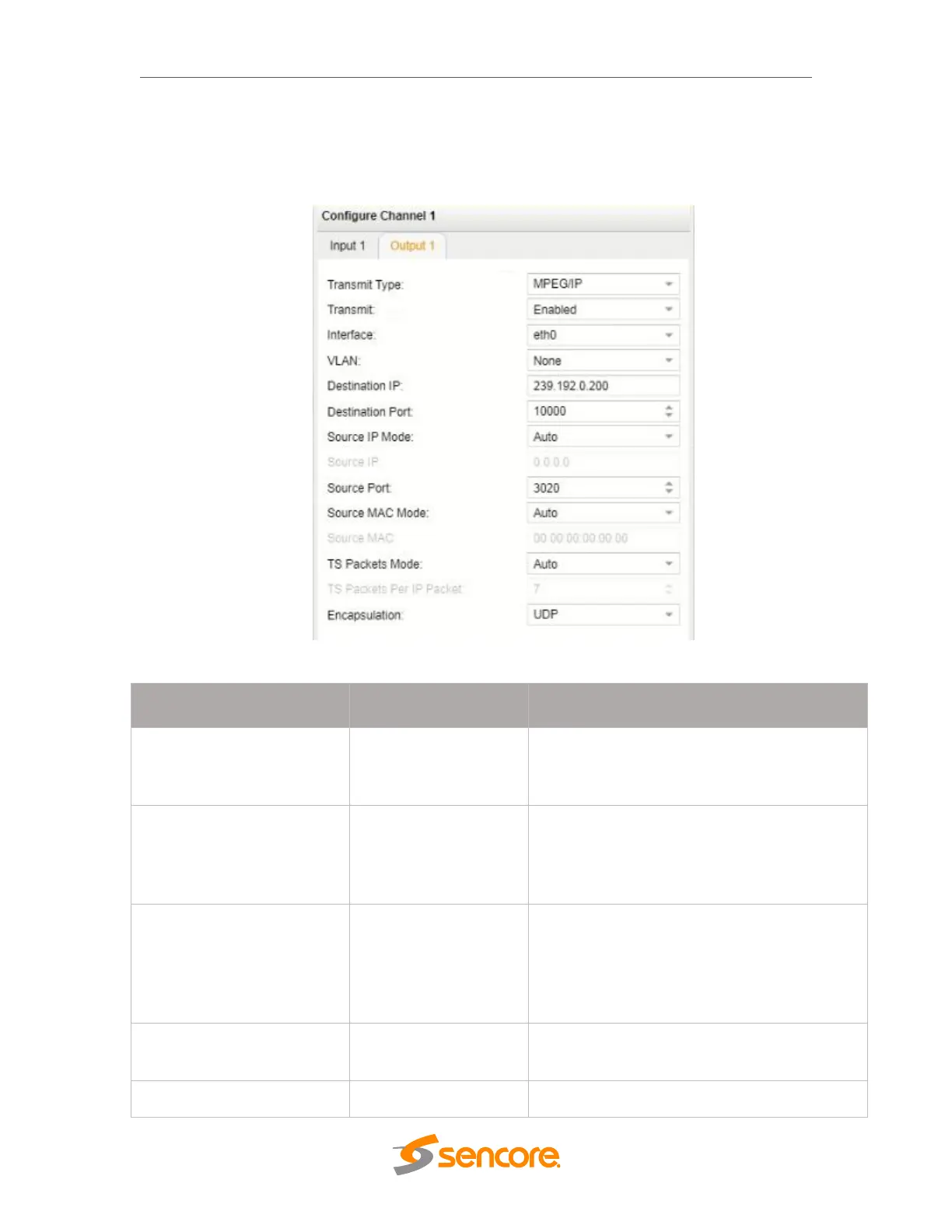
MPEG/IP Output Settings
The figure shows the options available when the “Transmit Type” is set to
“MPEG/IP”.
MPEG/IP Output Settings
224.0.0.0 –
239.255.255.255
This setting is only available when receiving a
multicast stream. This is the address the unit
will attempt to join
This is the UDP port the source device is
sending to. This is the only setting required to
receive a unicast stream but is also required
for multicast
When set to Auto, the source IP address on
the output stream will match the
corresponding local interface. When set to
Manual, a user entered address can be
assigned to the output stream
Defines the Source IP address to be assigned
to the output stream
Defines the source IP port to be assigned to



 To Next Page