OmniHub 6/6D– User Manual
Page 154 of 182
The OHP-IP-00 provides the user the ability to take a snapshot of the ALL current unit
settings, reported values, active alarms, and the alarm and log file history. This snapshot
will be downloaded as an .XML format file that can be attached in an email or opened for
viewing.
Click the ‘Diagnostics’ button and a window will open showing the diagnostic file creation
progress.
This window is replaced with a download file window when file creation is complete. The
user will be asked to ‘Open’ or ‘Save’ the file. Selecting the Save option will download
the .XML file to the pc ‘downloads’ location.
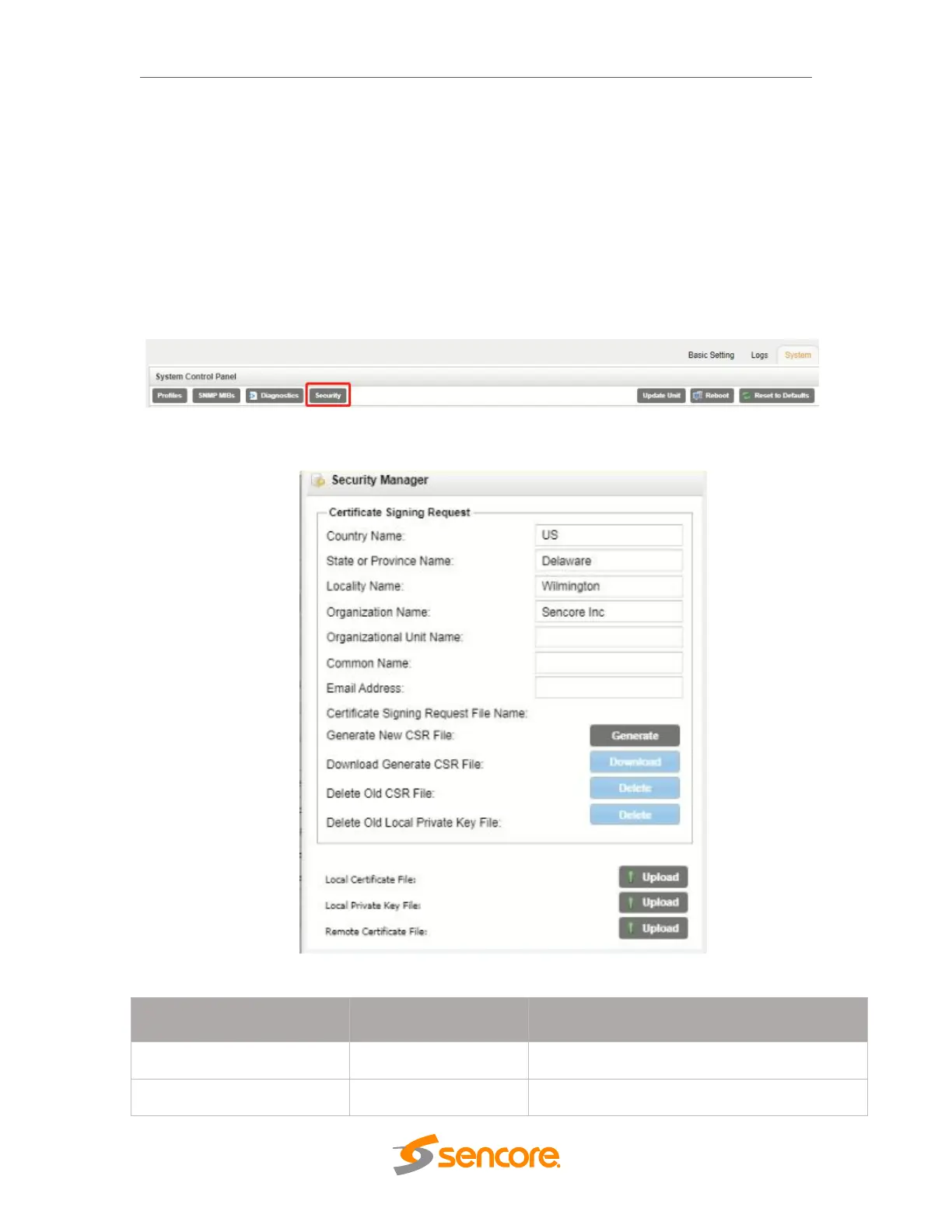
Security
The Security is used to configure self-signed certificate information.
Additionally, using public and private keys, this menu is used to enable DTLS
encryption and decryption on RIST receive and transmit instances.
Security Manager Menu
Country Name for generated CSR file
State/Province Name for generated CSR file



 To Next Page