OmniHub 6/6D– User Manual
Page 156 of 182
Updating the System Software
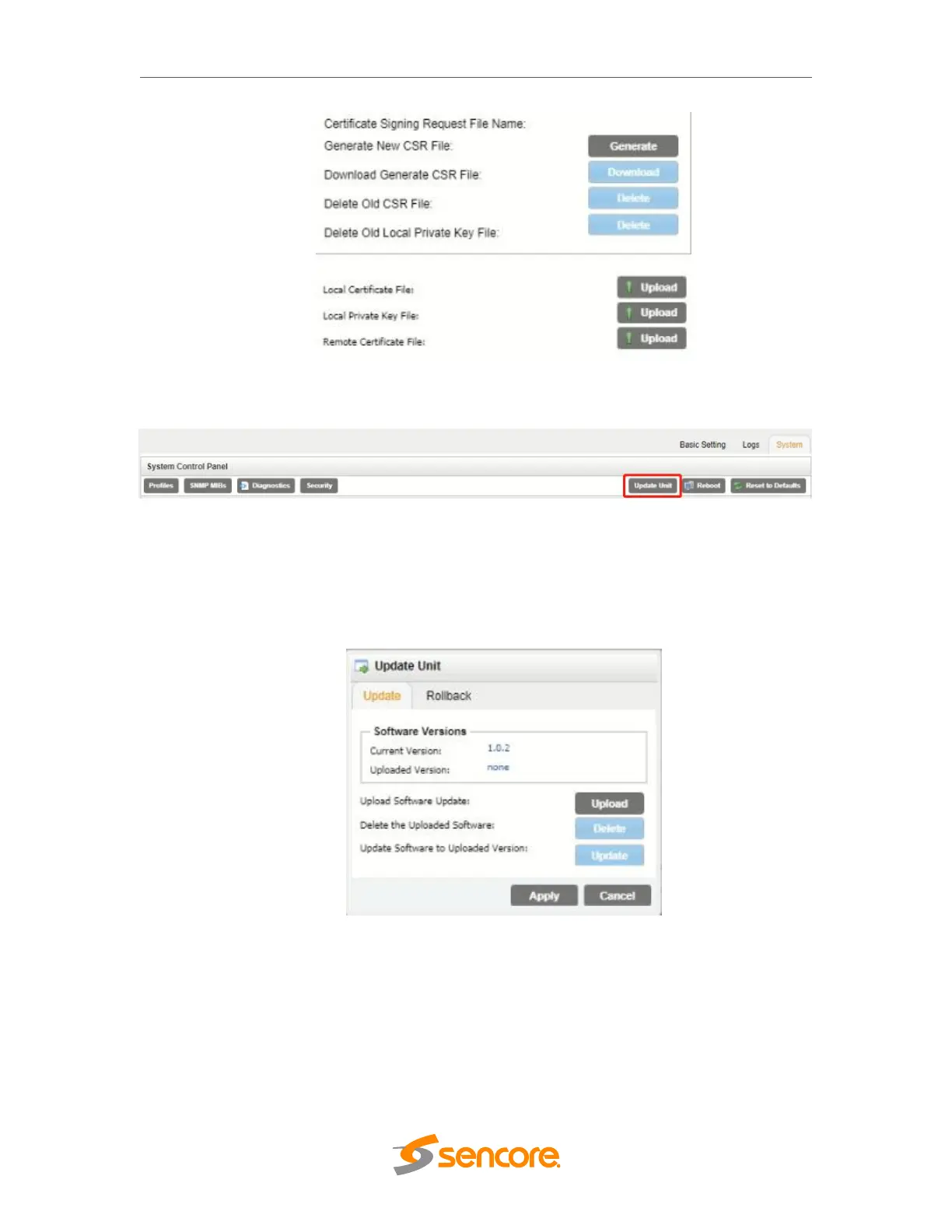
Updates to the OHP-IP-00 are performed through the web interface. A software update
file is provided by Wellav and then uploaded to the unit. To request the latest software
version or a copy of the release notes please contact our after-sales technical support
team. The ‘Update Unit’ button is in the top right corner of the System Control Panel.
When opened this feature will allow the user to advance the software version the OHP-
IP-00 operates on, or rollback the software version that the module operates on.
Applying software updates
1. Click Upload button and browse to the appropriate software file
2. A progress bar will show uploading status
3. Once the file is uploaded click on Yes when prompted to update
4. The module will reboot after a software update is complete.



 To Next Page