OmniHub 6/6D– User Manual
Page 165 of 182
Webpage Configuration
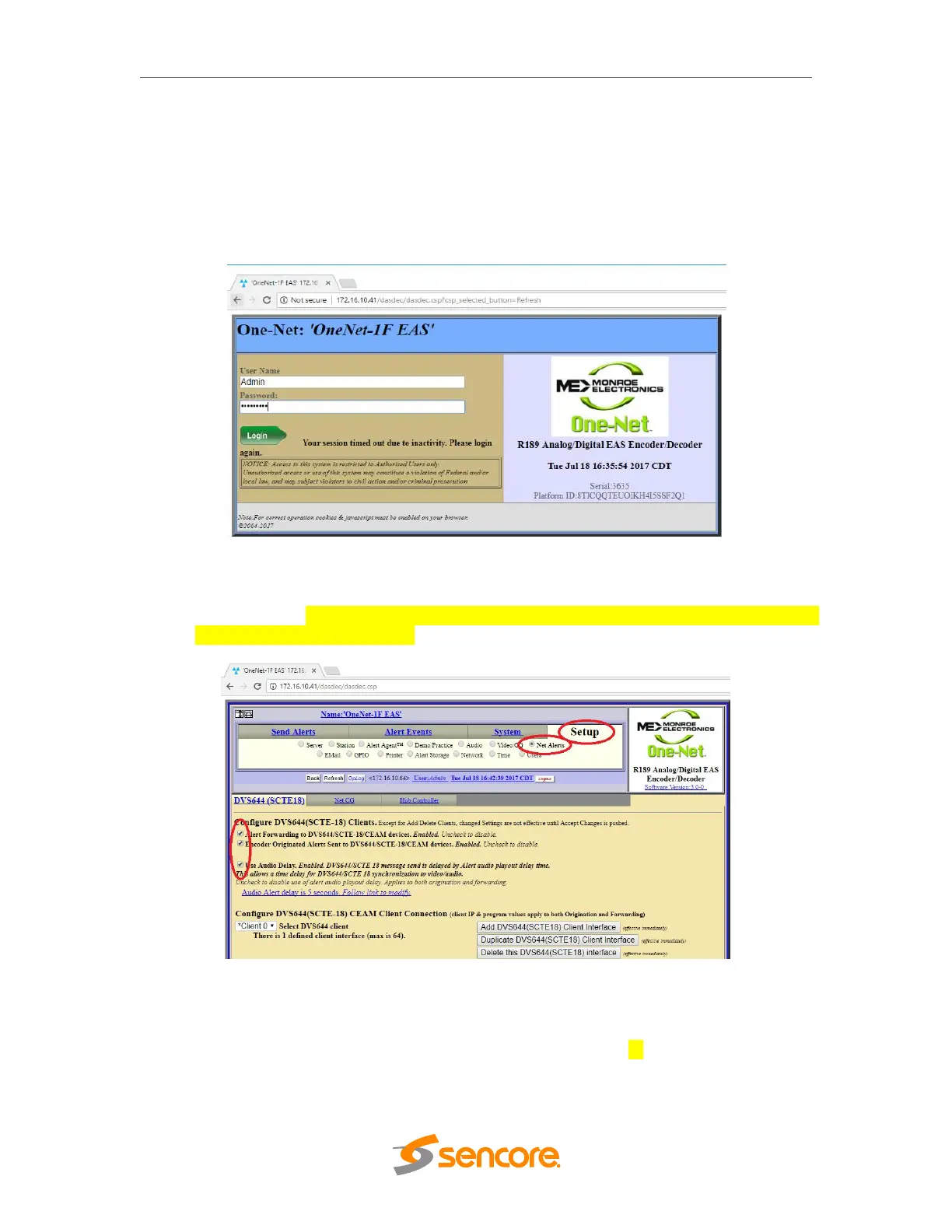
1. The webpage for the Monroe box requires login. The Monroe box has been
configured with this login information (The capital “A” in the username is required):
User: Admin
Password: sencore12
2. Once logged into the unit, browse to the Setup tab and select Net Alerts.
3. Configure the DVS644 (SCTE18) settings in the Monroe exactly like what are
shown below. Enable Alert Forwarding and Encoder Originated Alerts to be sent
to DVS644/SCTE18 devices.
4. A DVS644(SCTE-18) CEAM Client Connection should already be configured. If
not, click the Add DVS644(SCTE18) Client Interface button.
5. Make sure Client 0 is enabled and then input the unicast or multicast address into
the “Remote Host Unicast or Multicast IP Address” text box. It is suggested the
unicast normally be used, so what should be put in this box is the management



 To Next Page