OmniHub 6/6D– User Manual
Page 28 of 182
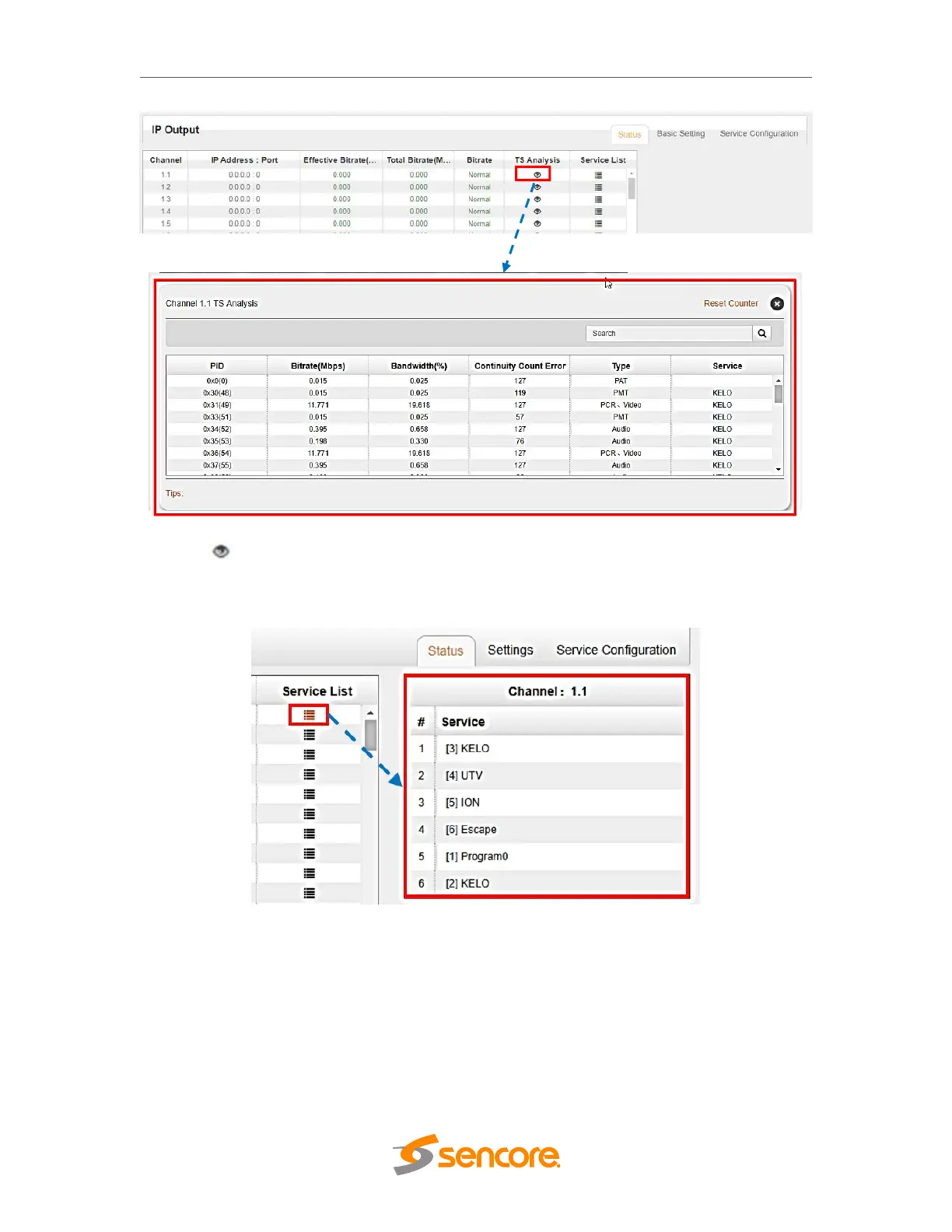
Clicking under Service List will display information on the services included in the
transport stream. This will display the list of services in a TS as shown in the picture
below.
Clicking on the service name in the list will display the detailed information of the service:
PCR, PMT, Video and Audio PID and Bitrate as shown in the picture below.



 To Next Page