22 23Oscillators
Sequential Prophet X User’s Guide
Oscillators
Oscillators
Oscillators provide the raw building blocks of the Prophet X’s sound
(along with the sampled instruments) by producing waveforms, each
of which has its own inherent sound character based on its harmonic
content. The Prophet X has two digital oscillators per voice.
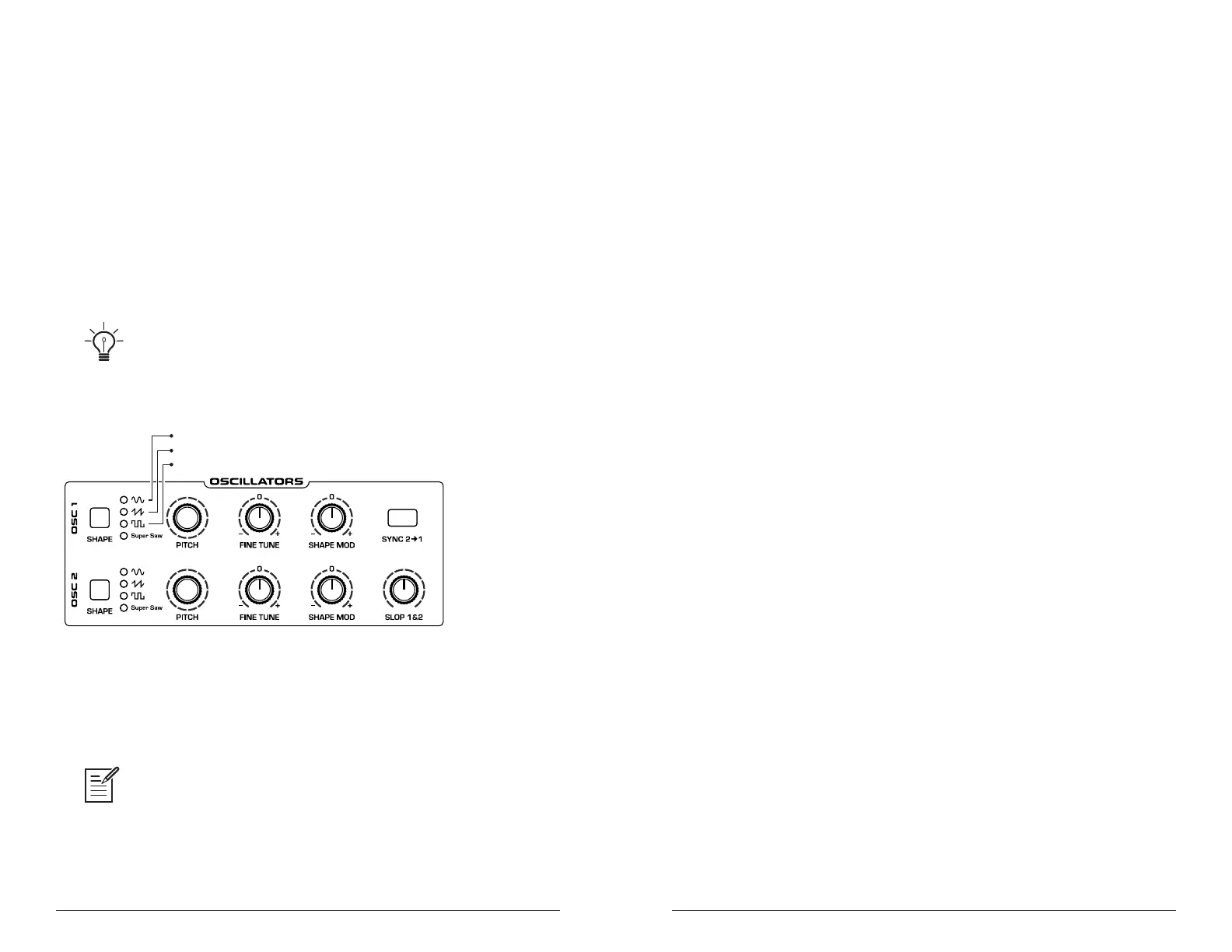
Oscillators 1 and 2 are capable of generating sine, sawtooth, pulse, and
super sawtooth waves. You can vary the “pulse width” of these wave-
shapes using the
shape mod parameter. This allows for a great variety of
different waveshapes and timbres. The shape mod parameter controls the
thickness/detuning of the super sawtooth wave.
The digital oscillators on the Prophet X are extremely stable. To emulate the
random pitch drift and oscillator instability of vintage instruments, use the slop 1 & 2
parameter to dial in as little or as much drift as you like.
The Oscillators section
Oscillator 1 can be hard-synced to Oscillator 2 using the sync 2>1 button
for harmonically-complex sounds when modulated. Both oscillators
feature a fine tune knob for detuning and thickening sounds.
You can force either or both of the oscillators to start its wave cycle from its
beginning (its zero crossing) each time you press a note on the keyboard by setting
wave reset to on in the osc shape tab. This is useful for creating sounds that have a
very consistent sound each time you trigger them.
To audition the oscillators:
1. Press the global button.
2. Use Soft Knob 1 to navigate to the basic program command, then press
Soft Key 1 (write now).
3. In the basic program, only Oscillator 1 is audible. (The level of Oscil-
lator 2 is set to zero and Instruments 1 and 2 do not have an instrument
selected.)
4. In the oscillators section, press the shape button to step through the
various waveshapes. Sawtooth is selected by default. Notice that it is
possible to select no waveshape.
5. As you toggle through the waveforms, turn the shape mod knob and
listen to how the timbre of the waveform changes. When super saw is
selected as the waveshape, this knob controls the thickness (detuning)
of the Super Saw wave.
6. Turn up the level of Oscillator 2 in the Mixer and experiment with
setting each oscillator to a different waveshape. Experiment with the
fine tune knob on the oscillators and notice how slightly detuning the
oscillators in relation to each other creates movement and thickness in
their combined sound.
7. Try rotating the lter’s cutoff and resonance knobs to see how they
affect the sound of the oscillators.
8. Use the pitch knob to change the pitch (in semitones) of the oscillators.
Try tuning one oscillator to a interval such as a third, a fth, or a sixth.
9. With both oscillators on, press the sync 2 > 1 button, then rotate the
pitch knob on Oscillator 1 while you hold a note. This is the classic
hard sync sound. You can route an envelope to Oscillator 1 pitch using
the modulation matrix to create this effect each time you play a note.
You’ll learn more about the mod matrix in “Modulation” on page 55.















 To Next Page