46 47Amplier Envelope
Sequential Prophet X User’s Guide
Auxiliary Envelopes
TAB 3 - Vol/Pan
PROG VOLUME
Prog Volume Pan Spread
PAN SPREAD
0127
Vol/PanVCA ADSR VCA Env Amt
Prog Volume: 0...127—The master output level of the Prophet X is
controlled by the front-panel volume knob. However, the volume of an
individual program is set here. The program volume control is particu-
larly useful for ensuring that your sounds have roughly the same volume
from program to program. See “Master Volume/Program Volume” on
page 75 for more details.
Pan Spread: 0...127—Pans the audio in the stereo eld individually
per voice. With a pan spread setting of zero, all voices are panned in the
middle (monophonic). As you turn up pan spread, the audio in each voice
is gradually moved away from the center by different amounts. Every
other voice goes in a different direction. This provides a wide stereo eld
as you play. Any modulation to Pan will individually move each voice
from its static position as set by the pan spread setting.
Auxiliary Envelopes
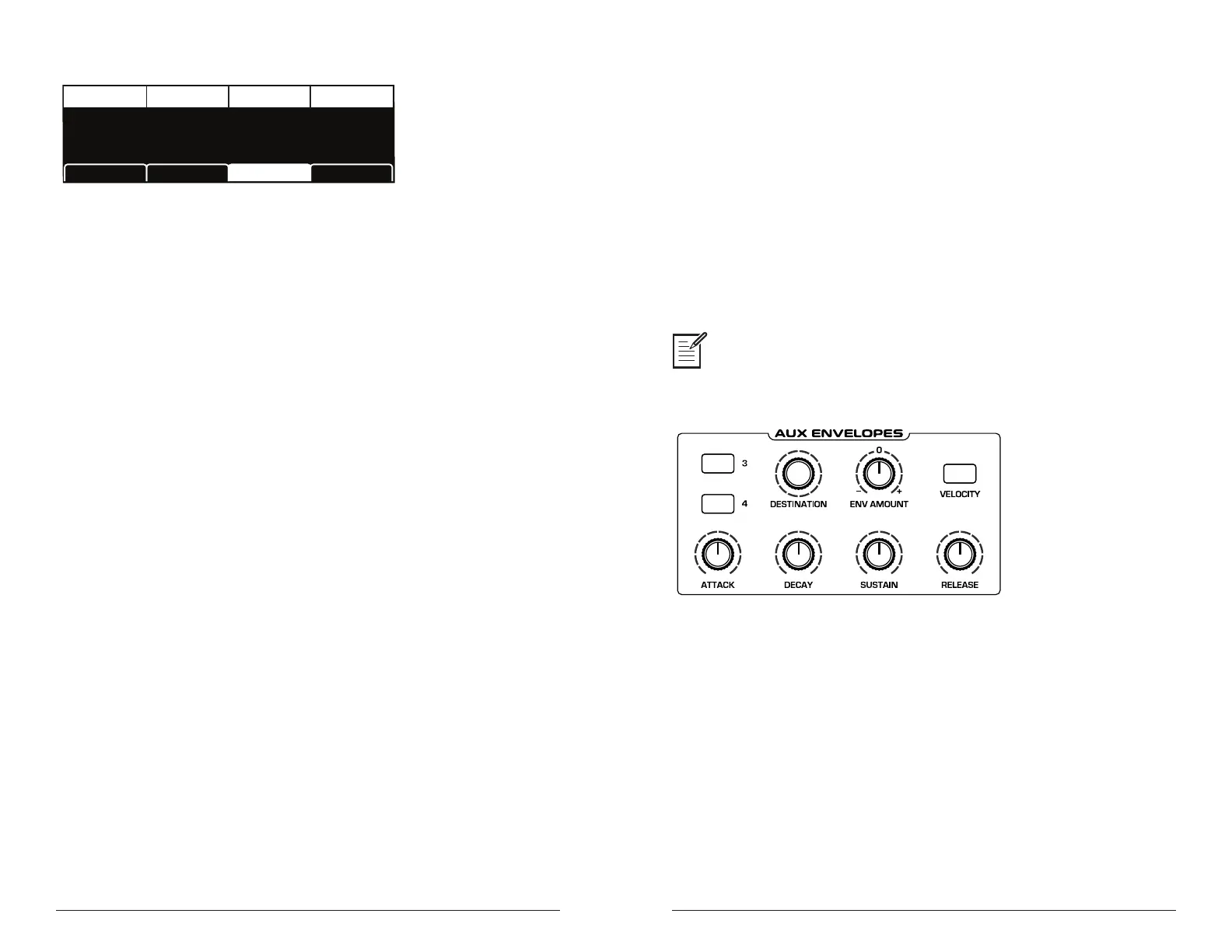
The Prophet X has two additional 5-stage envelope generators (ADSR
plus delay). They are useful for creating modulation that varies over time
according to the shape of the envelope. Routing an envelope to an oscil-
lator’s frequency, for example, causes the oscillator’s pitch to rise and
fall according to the contour of the envelope.
As with all of the Prophet X’s envelopes, there are controls for modulating
the envelope amount using keyboard velocity. The Auxiliary Envelopes can
be routed to any of the modulation destinations in the mod matrix. In addi-
tion, the Auxiliary Envelopes can repeat (loop) using the
env repeat function
in the aux envelopes display menu. This is useful for cyclical 4-stage modulation.
Actually, any of the Prophet X’s envelopes can be routed to any destination (or
multiple destinations) using the modulation matrix. See “Modulation” on page 55 for more
information.
Auxiliary Envelopes
Auxiliary Envelope Parameters (Front Panel)
3/4 Buttons: Selects either Envelope 3 or Envelope 4 for editing.
Destination: Various—Selects a modulation destination for the Auxiliary
Envelope. See “Appendix A: Modulation Sources” on page 130 for a list of
possible destinations.
Env Amount: -127...127—Sets the amount of modulation from the
envelope to the selected modulation destination. Higher amounts more
dramatically affect the destination. This control is bipolar. Positive
settings produce standard behavior. Negative settings invert the envelope.















 To Next Page