24 25Oscillators
Sequential Prophet X User’s Guide
Oscillators
Oscillator Parameters (Front Panel)
Shape: Sine, Sawtooth, Pulse, Super Saw —This button selects the
waveshape generated by the oscillator. You can also turn the oscillator off
by selecting no waveshape.
Pitch: Sets the base frequency of Oscillator 1 or 2 over a 9-octave range
from 16 Hz to 8 KHz (when used with the Transpose buttons). Adjustment
is in semitones. The global master coarse and master fine settings affect
the pitch of the oscillators. See “Global Settings” on page 119 for more
information.
Fine Tune: -50...+50 – Fine tune control with a range of a quarter tone up
or down. The 12 o’clock position is centered. Steps are in cents (50 cents =
1/2 semitone).
Shape Mod: -64…+63 – Changes the “pulse” width of the selected
waveform, which modies its harmonic content and timbre. To generate
a square wave when pulse is selected as the waveform, set this parameter
to 0. When super saw is selected as the waveshape, shape mod controls
the thickness (detuning) of the Super Saw.
Applying waveshape modulation using a low frequency oscillator or other
modulation source in the mod matrix is a great way to add movement and thickness to
a sound.
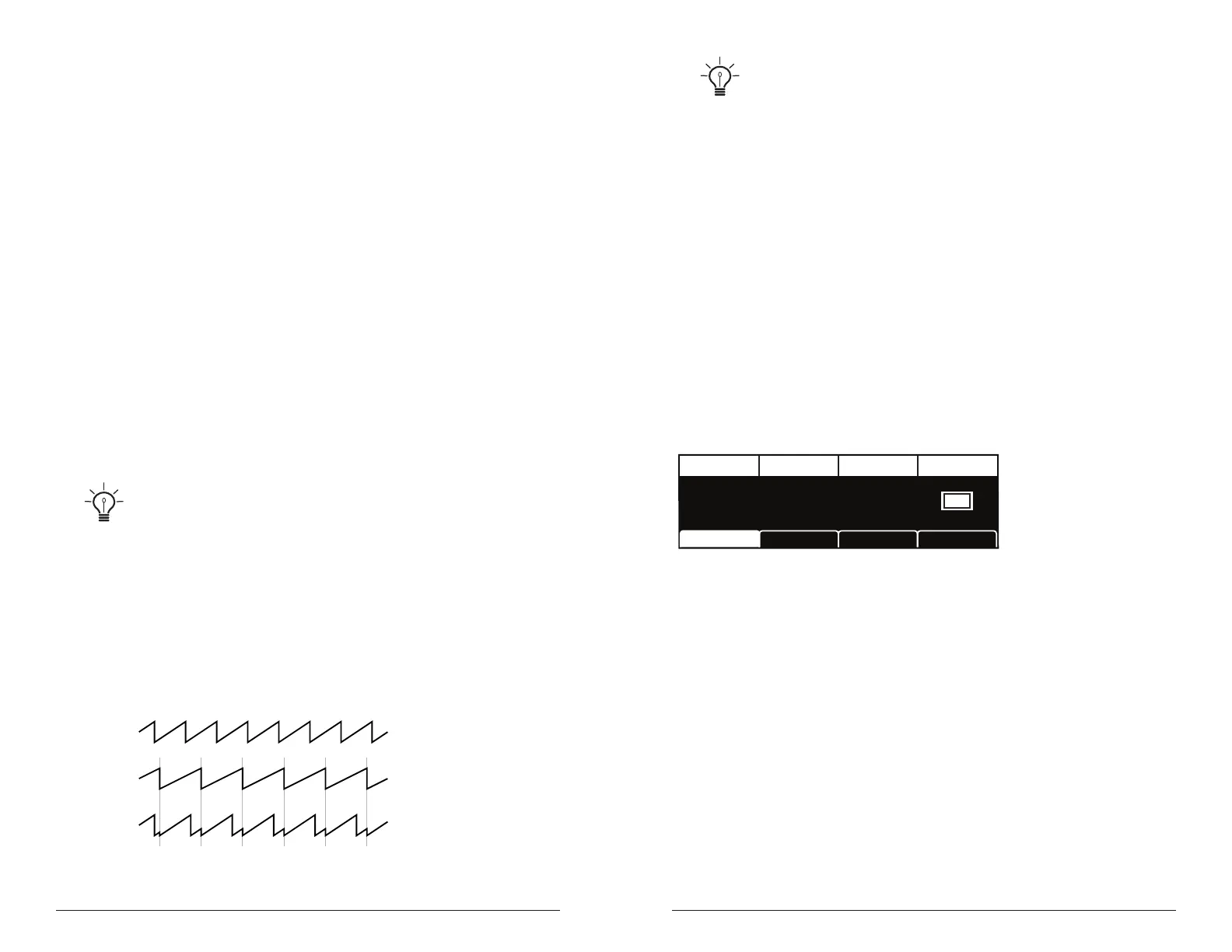
Sync 2>1: Off, On—Turns Oscillator 1 hard sync on. Sync forces Oscillator
1 (the slave) to restart its cycle every time Oscillator 2 (the master) starts
a cycle. This provides a way to create more complex, harmonically rich
shapes from simple waveforms—especially when the frequency of Oscil-
lator 1 is set to a different interval than Oscillator 2.
Oscillator 1
Oscillator 2
Oscillator 1
synced to
Oscillator 2
Oscillator hard sync
Try using the auxiliary envelope to sweep the pitch of Oscillator 1 when it is
synced to generate the classic, hard-edged sync sound.
Slop 1&2: 0…127 – Adds randomized detuning to the oscillators to
emulate the tuning instability of vintage analog oscillators. This tuning
instability is a big part of what made vintage instruments sound charac-
teristically warm and fat. The oscillators in the Prophet X are very stable,
and will not drift unless congured to do so. Use slop 1&2 parameter to
dial in as little or as much drift as you like.
Additional Oscillator Parameters (Display Menu)
Additional oscillator parameters are accessible through the menus in the
main display. To see these menus, adjust any control in oscillators section
of the front panel.
TAB 1 - Osc Tune
FREQUENCY
Frequency Osc SlopFine Tune Key Follow
FINE TUNE
0 0C2
KEY FOLLOW
OSC SLOP
Osc1 Misc
Osc1 Tune Osc1 SelectOsc1 Shape
Frequency: Sets the base frequency of Oscillator 1 or 2 over a 9-octave
range from 16 Hz to 8KHz (when used with the Transpose buttons). Adjust-
ment is in semitones.
Fine Tune: -50...+50—Fine tune control with a range of a quartertone up
or down. The 12 o’clock position is centered. Steps are in cents (50 cents =
1/2 semitone).
Osc Slop: 0…127 – Adds randomized detuning to the oscillators to
emulate the tuning instability of vintage analog oscillators. This tuning
instability is a big part of what made vintage instruments sound charac-
teristically warm and fat. The oscillators in the Prophet X are very stable,
and will not drift. Use osc slop parameter to dial in as little or as much
drift as you like.















 To Next Page